PDF to Word Assistant-Scanner

PDF to Word Assistant-Scanner Summary
PDF to Word Assistant-Scanner is a free, with in-app purchases iOS app in Productivity by 一航 李. Released in Jan 2026 (8 months ago). Store last updated Feb 4, 2026
PDF to Word Assistant-Scanner SDKs Summary
App not yet scanned for SDKs.
0★
Ratings: 0
Screenshots


App Description
Tired of messy document format conversions? Spending too much time typing handwritten notes? Struggling to edit paper files? PDF to Word Assistant is your all-in-one smart office solution! We are more than just a converter; we are a professional document processing expert integrating AI smart scanning, precise multi-format conversion, and intelligent layout editing, dedicated to making every document clear, professional, and editable .
Precise Format Conversion: The Efficiency Tool for Professionals
PDF to Office Suite: Supports converting PDF to Word, PPT, and Excel. It deeply analyzes document structure, uses AI for intelligent recognition, perfectly restores original layouts, charts, and fonts, eliminating garbled code and misalignment. You get a beautifully formatted document ready for immediate editing .
Office to PDF with One Click: Also supports converting Word, PPT, and Excel to PDF, easily generating standard, non-alterable PDF documents to meet submission and archiving needs for contracts, reports, and handouts .
Smart Scanning & Recognition: Bridging Paper and Digital
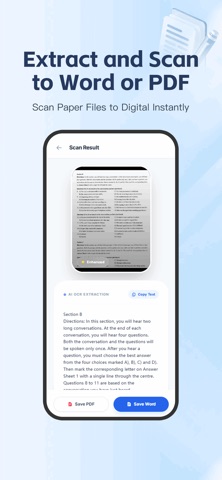
Image to Word: Simply use your phone to capture books, documents, or PPT screens, and instantly convert images to Word with one click. Intelligently removes background shadows, corrects angles, and accurately extracts text, turning paper materials into electronic files in seconds .
Advanced Text Recognition (OCR): A powerful OCR engine quickly recognizes printed text in images or PDFs, supporting copy, edit, and export, making information extraction easier than ever .
Handwriting to Printed Text: Exclusively optimized! Clearly recognizes handwritten notes and form-filling information, converting them into neat printed text. Easily digitize meeting minutes or resume forms, accurately extracting key information like names, phone numbers, and email addresses .
Core Features for Full-Scenario Document Needs
Smart Layout Assistant: Automatically segments recognized text and optimizes headings to enhance document aesthetics and readability.
Efficient Toolbox: Integrates practical functions like document merging, splitting, and compression for easier PDF management .
Convenient File Management: Clear conversion history allows documents to be saved to your phone or shared to other apps with one click, ensuring seamless workflow integration .
Why Choose Us?
Accurate Restorati