Spreadsheet - XLSX Sheets

Spreadsheet - XLSX Sheets Summary
Spreadsheet - XLSX Sheets is a free, with in-app purchases iOS app in Productivity by Neon Infotech FZ-LLC. Released in Mar 2026 (7 months ago). It has 2.00 ratings with a 3.00★ (mixed) average. Based on AppGoblin estimates, it reaches roughly 11 monthly active users and generates around $<10K monthly revenue (100% IAP / 0% ads). Store last updated Sep 1, 2026
SDK intelligence: AppGoblin detected 3 development tools(e.g. Google), 2 ad networks, 1 analytics: product,and 1 business tools integrated into Spreadsheet - XLSX Sheets. View full SDK list →
Spreadsheet - XLSX Sheets SDKs Summary
Spreadsheet - XLSX Sheets was last scanned for SDKs on 2026-06-01. Below is the overview of third-party companies detected in the app. The full list of SDKs, permissions and unknowns is available here.
 Google
 AdMob
AdMob Airbnb Engineering
 nanopb
 Firebase
 RevenueCat
3★
Ratings: 2.00
Screenshots



App Description
Excel Suite is a simple and powerful spreadsheet app for iPhone. Open, edit, organise, and manage Excel-compatible files easily from one clean workspace.
The app is designed for smooth mobile use with a clear layout, fast performance, and easy file management.
App Features
File Management:
• View all your spreadsheet files in one place.
• See file name, date, and size
• Import new files easily
• Empty workspace screen when no files are available.
You can manage each file with options:
• Edit.
• Share.
• Rename.
• Delete.
Sorting Option:
• Organize your files by:
• Date Modified.
• Size.
• Ascending Order.
• Descending Order.
Search Option:
• Search files instantly by name.
• Real-time results while typing.
• Clear “No matching search” message.
Favorites:
• Mark important files as favorites
• Access them quickly from the My Favorites section
Spreadsheet Editor:
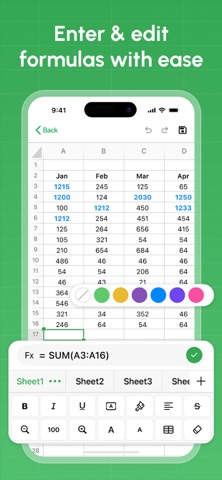
Excel Suite allows you to open and edit spreadsheets easily.
Grid View
• Smooth scrolling rows and columns.
• Tap any cell to select and edit.
• Highlighted active cell.
Cell Editing:
• Edit numbers and text.
• Formula bar with fx support.
• Keyboard input with quick confirmation.
Multiple Sheet Support
• Switch between sheets (Sheet 1, Sheet 2, Sheet 3, etc.)
• Select sheet from a sheet list dialog.
• Rename sheet.
• Delete sheet.
• Duplicate sheet.
Subscription Details
- Payment will be charged to iTunes Account at confirmation of purchase.
- Subscription automatically renews unless auto-renew is turned off 24 hours before the end of the current period.
- Account will be charged for renewal within 24 hours prior to the end of the current period.
- No cancellation of the current subscription is allowed during the active subscription period.
- Any unused portion of a free trial, if offered, will be forfeited upon purchase.
Privacy Policy: https://privacypolicycenter.com/new/view/id6757513063
Terms Of Use: https://privacypolicycenter.com/new/terms/id6757513063
EULA: https://privacypolicycenter.com/new/eula/id6757513063