Lens AI. Scan Anything

Lens AI. Scan Anything Summary
Lens AI. Scan Anything is a free, with in-app purchases iOS app in Books And Reference by Moaash Technologies Private Limited. Released in Jan 2026 (8 months ago). It has 149 ratings with a 4.67★ (excellent) average. Based on AppGoblin estimates, it reaches roughly 2.4K monthly active users and generates around $<10K monthly revenue (100% IAP / 0% ads). Store last updated Sep 12, 2026
Recent activity: 8.00 new ratings this week View trends →
SDK intelligence: AppGoblin detected 3 development tools(e.g. Google), 1 analytics: product,and 1 business tools integrated into Lens AI. Scan Anything. View full SDK list →
Lens AI. Scan Anything SDKs Summary
Lens AI. Scan Anything was last scanned for SDKs on 2026-07-07. Below is the overview of third-party companies detected in the app. The full list of SDKs, permissions and unknowns is available here.
 Google
 Facebook
 nanopb
 Firebase
 Adapty
4.67★
Ratings: 149
Screenshots


App Description
Snapping Identify puts the power of AI Lens technology right in your pocket. With just a single snap, take a photo and let our advanced artificial intelligence instantly identify objects, plants, animals, landmarks, documents, and more. Whether you're exploring nature, traveling the world, or simply curious about what's around you, accurate answers are only seconds away.
Powered by a smart AI scanning lens, Snapping Identify helps you scan and identify objects in real time. From everyday items to complex visuals, our intelligent recognition engine analyzes images with precision, delivering fast and reliable results using cutting-edge AI object identification.
AI Scan transforms your phone into a powerful smart scanner. Easily scan documents, images, receipts, notes, and handwritten text, then let artificial intelligence extract text, analyze content, and organize everything automatically. Enjoy clearer scans, faster processing, and smarter insights than traditional scanning apps.
Perfect for students, travelers, nature lovers, professionals, and curious minds, Snapping Identify combines AI Lens, Scan, and Identify features into one seamless experience—making discovery smarter, simpler, and more intuitive than ever before.
WHAT YOU CAN SCAN & IDENTIFY
- Plant Identifier – identify plants, flowers, trees, leaves, and mushrooms from a photo
- Insect & Bug Identifier – find out what bug, spider, or insect you're looking at
- Animal Identifier – recognize dog breeds, cat breeds, birds, and wildlife
- Rock & Stone Identifier – identify rocks, crystals, gemstones, and minerals
- Coin & Antique Identifier – identify coins, antiques, and collectibles
- Food Identifier – recognize dishes, fruits, vegetables, and ingredients
- Landmark Identifier – discover famous places, buildings, and monuments while you travel
- Product Scanner – identify gadgets, cars, brands, and everyday items
SEARCH, CHAT & TRANSLATE
- Circle to Search – circle any item in a photo and search for it on the web
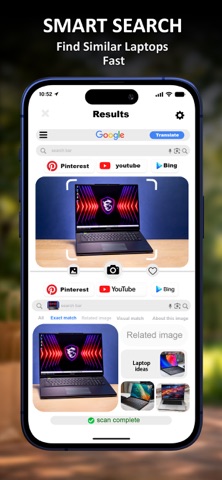
- Reverse Image Search – search by image and find similar items online
- AI Chat – ask follow-up questions about any scan and chat with AI for deeper answers
- Text Scanner & Translator – scan text from signs, menus, and documents and translate it into your language
- Photo Identifier – use your camera or pick any picture from your gallery and ask "what is