Quick Invoice

Quick Invoice Summary
Quick Invoice is a free, with in-app purchases iOS app in Business by Donna James. Released in Aug 2026 (recently released ago). It has 1.00 ratings with a 5.00★ (excellent) average. Based on AppGoblin estimates, it reaches roughly 46 monthly active users and generates around $<10K monthly revenue (100% IAP / 0% ads). Store last updated Aug 9, 2026
Quick Invoice SDKs Summary
App not yet scanned for SDKs.
5★
Ratings: 1.00
Screenshots


App Description
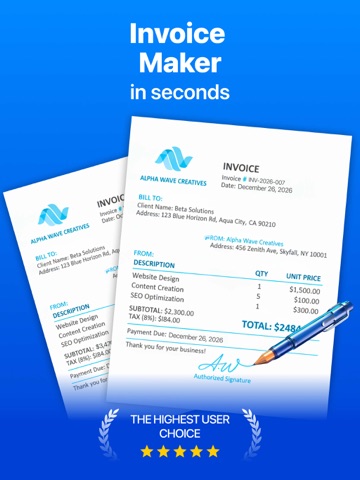
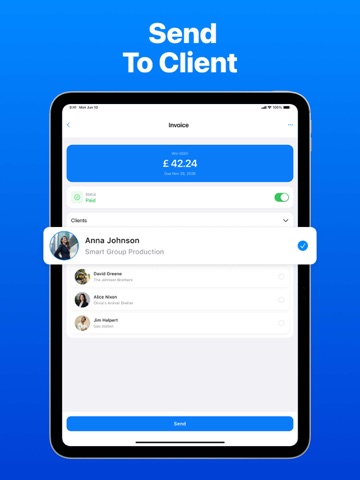
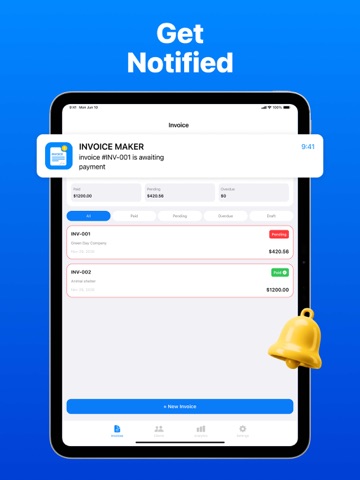
Quick Invoice is a smart and efficient invoicing app designed to help freelancers, entrepreneurs, and small businesses create professional invoices in seconds. Easily generate invoices with full company details, logo, product or service lists, totals, and payment due dates. Build and manage your client database to quickly issue repeat invoices and track your business relationships. Customize templates, save your favorite designs, and maintain a complete company profile for consistent branding. Track payment statuses to know instantly which invoices are paid or pending. Quick Invoice supports multiple currencies and automatically calculates taxes and commissions, making it perfect for international work. Stay on top of your finances with clear income analytics and get instant push notifications when payments are received. Sign invoices electronically to give each document legal validity. Export invoices and reports in PDF, Excel, or CSV formats for easy sharing and accounting. The free version allows up to three invoices per month, five clients, and one standard template, while the Premium plan unlocks unlimited invoices and clients, full template customization, comprehensive export options, and electronic signatures. With Quick Invoice, managing your billing has never been simpler, faster, or more professional.
The app offers auto-renewing subscriptions Weekly $4.99, Monthly $12.99, Yearly $39.99 and a one-time Lifetime purchase for $59.99.
Terms of Use Link: https://www.apple.com/legal/internet-services/itunes/dev/stdeula/
Privacy Policy Link: https://docs.google.com/document/d/1-7i9IE_gPJnMKc8UDfgdwJcwtIAJGQeUs473UnHFXkE/edit?usp=sharing