Exterior Ai : Home Landscape
Exterior Ai : Home Landscape Summary
Exterior Ai : Home Landscape is a with in-app purchases iOS app in Art And Design by Ling Hwe Ming. Released in Jan 2026 (4 months ago). Store metadata: updated Jan 25, 2026.
Store info: Last updated on App Store on Jan 25, 2026 .
0★
Ratings:
Screenshots
App Description
AI Exterior Design is the ultimate home visualization app for creating stunning, personalized exterior makeovers with photorealistic AI results.
Whether you’re planning a full facade renovation, refreshing your house exterior, redesigning landscaping, or exploring modern curb-appeal ideas—our AI makes it fast, simple, and genuinely inspiring.
Just upload a photo of your home exterior and watch it transform into a beautifully designed concept tailored to your style, architecture, and selected elements.
Preview high-end facades with new materials, colors, lighting, landscaping, and architectural details—before any real construction begins.
Features
• AI Exterior Transformation in Seconds
Upload a photo of your house and instantly see it reimagined with modern facades, luxury finishes, clean lines, lighting accents, landscaping, fences, and more.
• Four-Step Design Studio (Full-Screen Wizard)
Step 1: Photo
Step 2: Style
Step 3: Elements
Step 4: Review & Generate
A clear, professional workflow from idea to render—built for real renovation and design decisions.
• Smart Customization
Choose a style such as Modern Minimal, Tropical Resort, Scandinavian, Luxury Villa, Industrial, Classic—or write your own custom prompt.
Add details via text or image references like stone facades, wood cladding, glass panels, outdoor lighting, plants, driveway materials, roof styles, and more.
• Object & Material Image Support
Upload reference photos for materials or exterior elements. Thumbnails appear in the Review step so you know exactly what the AI is using.
• Photorealistic Results
High-quality lighting, textures, shadows, and materials.
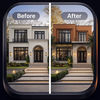
The original camera angle and building proportions are preserved for realistic before/after comparisons.
• Before / After Preview & Sharing
View designs full-screen, compare results using a drag slider, save to your gallery, or share with family, architects, designers, or contractors.
• History with Quick Actions
All generated designs are saved with date, selected style, and elements—easy to revisit, favorite, share, or delete anytime.
• Premium Experience
Enjoy priority processing, pro-grade outputs, all styles unlocked, no ads, and extended history.
Includes a daily premium render limit with optional token top-ups—perfect when you need more renders fast.
Perfect For
• Homeowners planning