Legit Check Scanner: LegCheck

Legit Check Scanner: LegCheck Summary
Legit Check Scanner: LegCheck is a free, with in-app purchases iOS app in Shopping by Jalm Studio Inc. Released in Jan 2026 (7 months ago). It has 8.00 ratings with a 4.00★ (good) average. Based on AppGoblin estimates, it reaches roughly 45 monthly active users and generates around $<10K monthly revenue (100% IAP / 0% ads). Store last updated May 22, 2026
SDK intelligence: AppGoblin detected 1 business tools(e.g. Superwall),and 1 analytics: product integrated into Legit Check Scanner: LegCheck. View full SDK list →
Legit Check Scanner: LegCheck SDKs Summary
Legit Check Scanner: LegCheck was last scanned for SDKs on 2026-07-04. Below is the overview of third-party companies detected in the app. The full list of SDKs, permissions and unknowns is available here.
 Superwall
 Amplitude
4★
Ratings: 8.00
Screenshots


App Description
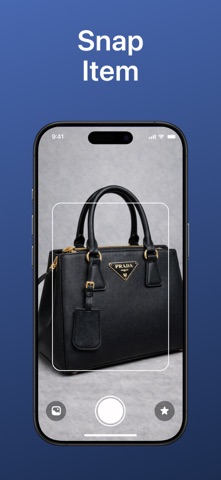
Legit Check helps you check if an item is real or fake using a photo.
Take a picture of a product and get a clear authenticity result based on visible details. The app supports many types of items, including sneakers, bags, clothing, watches, and accessories.
Legit Check is useful when buying second-hand items, selling products online, or checking items you already own. All results are easy to understand and saved so you can view them later.
Features
• Take a photo and check if an item is real or fake
• Clear authenticity results with short explanations
• Support for multiple product categories
• Saved scan history
• No account required
• No ads
Some features require a subscription, including unlimited checks and detailed results.
Payment is charged to your Apple ID at confirmation of purchase. Subscriptions renew automatically unless canceled at least 24 hours before the end of the current period. You can manage or cancel your subscription in your App Store account settings.
Terms of Use (EULA):
https://www.apple.com/legal/internet-services/itunes/dev/stdeula/