Plagiarism Checker - Humanizer

Plagiarism Checker - Humanizer Summary
Plagiarism Checker - Humanizer is a free, with in-app purchases iOS app in Education by Ahmad Sattar. Released in Feb 2026 (8 months ago). Store last updated Sep 30, 2026
Plagiarism Checker - Humanizer SDKs Summary
App not yet scanned for SDKs.
0★
Ratings: 0
Screenshots



App Description
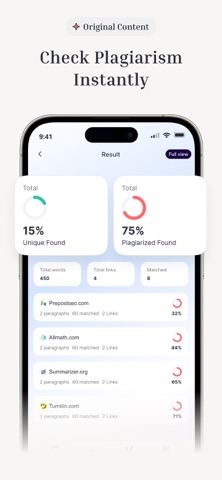
Plagiarism Checker is an online app developed to help you automatically check plagiarism. It uses advanced AI technology for comparing your content with billions of sources to detect plagiarism. After checking plagiarism, it highlights all the plagiarized text pieces in red color to help users easily remove them.
Other Tools Offered by Our App:
Besides, plagiarism detector, this app offers AI Detector and AI Humanizer tools as well:
● AI Detector:
The AI Content detector tool helps you instantly check AI in your content. Powered by advanced AI technology, it is capable of detecting the content generated from all AI tools.
● AI Humanizer:
The AI humanizer works to accurately change AI content into human-like and natural one, without changing its actual meaning. It uses cutting-edge natural language processing and ML models to humanize content generated from AI Tools.
The AI Plagiarism checker app is a reliable solution for students, writers, teachers, and professionals to check the originality and authenticity of their content. Verify their content is free of AI detections, and humanize robotic AI writing.
How to Use the Plagiarism Checker App?
When you open our free plagiarism checker, you’ll see three different tools:
Plagiarism Checker, AI Detector, & AI Humanizer.
Steps to Check Plagiarism:
1. Paste or upload your content into the app.
2. Click the “Check” button to start checking plagiarism.
3. Our online plagiarism checker will quickly detect and highlight the duplicate content.
4. Now, you can “Download” and “Share” the plagiarism report.
Steps to Use AI Detector & Humanizer Tools:
1. Click to open any of the tools and input your content.
2. Press the “Humanize” or “Detect AI” button, based on the tool you’re using.
3. The AI Detector will create a comprehensive report that you can download.
4. Similarly, the AI Humanizer will change your AI content into a natural output.
Why Choose Our Plagiarism Checker App?
Our app comes up with several features, some of which are listed below;
Accurate Plagiarism Checking:
The AI plagiarism detector app uses cutting-edge Artificial Intelligence algorithms to scan your content deeply and point out even minor traces of plagiarism.
Fast Results:
Whether your provided content is longer or complex, our AI plagiarism detector scans it and provides a plagiarism report. Ultimately, it can