Hair Color AI: Hairstyle Try

Hair Color AI: Hairstyle Try Summary
Hair Color AI: Hairstyle Try is a free, with in-app purchases iOS app in Lifestyle by Mugenyi Henry. Released in Feb 2026 (8 months ago). Store last updated Feb 9, 2026
Hair Color AI: Hairstyle Try SDKs Summary
App not yet scanned for SDKs.
0★
Ratings: 0
Screenshots


App Description
Ever wondered how you would look with a bold new hair color or a trendy haircut? Stop guessing and start experimenting with Hair Color AI: Hairstyle Try!
Our advanced AI-powered technology allows you to virtually try on hundreds of hair colors and styles in seconds. Whether you're considering a dramatic change like platinum blonde, a vibrant purple, or just a simple trim, our app provides a realistic preview that helps you make the right choice before you ever step foot in the salon.
KEY FEATURES:
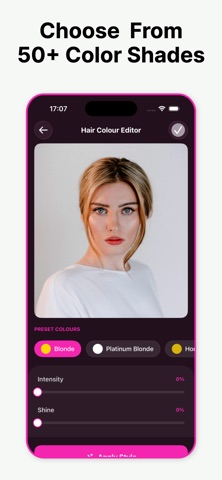
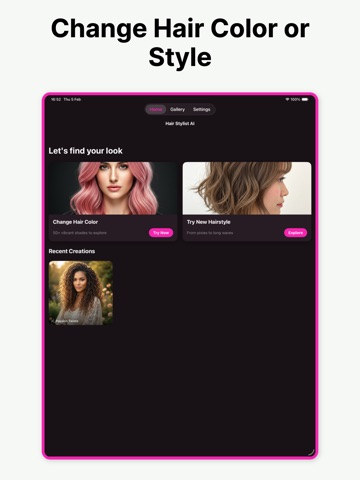
• AI Hair Color Changer: Instantly swap your current shade for any color on the spectrum. From natural browns and blondes to edgy neons and pastels.
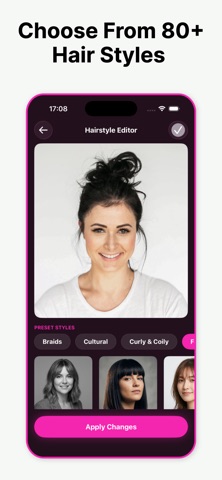
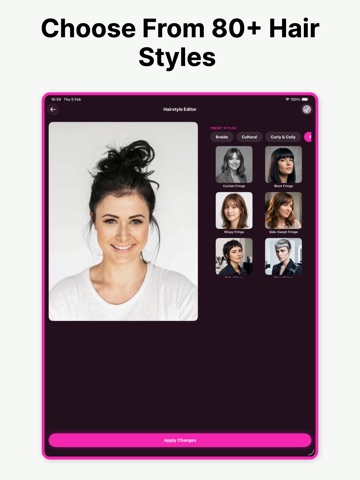
• Hairstyle Try-On: Explore a vast library of hairstyles, including long waves, short bobs, pixie cuts, bangs, and more.
• Smart Detection: Our precision AI maps your hair perfectly, ensuring the color looks natural and follows the flow of your strands.
• Before & After Comparison: Easy side-by-side views to help you decide which look suits you best.
• Save & Share: Save your favorite makeovers to your camera roll or share them with your stylist and friends for instant feedback.
WHY YOU’LL LOVE IT:
No more hair regrets! Hair Color AI is the ultimate tool for anyone looking to refresh their look. It's like having a professional hair stylist and a virtual mirror in your pocket 24/7. Perfect for experimenting with new trends or finding the classic style that enhances your natural beauty.
SUBSCRIPTION INFORMATION:
Unlock our full premium library of exclusive hairstyles and unlimited color options with a subscription.
- Subscription lengths: Weekly, Monthly, or Yearly.
- Payment will be charged to your iTunes Account at confirmation of purchase.
- Subscriptions automatically renew unless auto-renew is turned off at least 24 hours before the end of the current period.
- You can manage your subscription and turn off auto-renewal by going to your App Store Account Settings after purchase.
Subscription Information:
– App usage is limited and needs a subscription for unlimited access.
– Subscription Length: Weekly and Yearly
– Free Trial: If offered, it will automatically convert to a paid subscription unless canceled.
– Payment: Charged to your Apple ID account at confirmation of purchase.
– Auto-Renewal: Automatically renews unless canceled at least 24 hours before the end of the current pe