Print & Scan PDF : Printer App

Print & Scan PDF : Printer App Summary
Print & Scan PDF : Printer App is a free, with in-app purchases iOS app in Business by Hamid Sher agha. Released in Feb 2026 (7 months ago). Store last updated Feb 7, 2026
Print & Scan PDF : Printer App SDKs Summary
App not yet scanned for SDKs.
0★
Ratings: 0
Screenshots



App Description
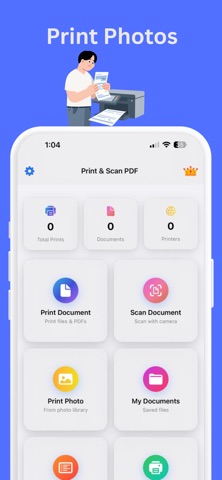
Print & Scan PDF : Printer App allows fast and reliable printing and scanning directly from your mobile device. Print PDF files, images, and documents to WiFi-enabled printers without complex setup. Designed for everyday home, office, and student use.
Scan documents using your phone camera with automatic edge detection and convert them into high-quality PDF files. Ideal for scanning receipts, notes, contracts, IDs, and forms with clear text and optimized file size. Advanced Printing Options: Preview PDF files, images, and other content before printing, ensuring accuracy and reducing printing errors.
Manage, save, share, or print scanned PDFs instantly. The app combines a mobile PDF printer and document scanner in one lightweight solution optimized for speed, accuracy, and ease of use.
Multi-Image Printing: Print multiple images on a single sheet of paper, maximizing efficiency and reducing paper waste.
Features
Print PDF files images and documents directly from your phone
Wireless printing via WiFi enabled printers
Scan documents using the camera with automatic edge detection
Convert scanned documents to high quality PDF
Adjust brightness contrast and orientation before saving
Print files from gallery file manager or cloud storage
Save share or export scanned PDFs instantly
Clear text output with optimized file size
Fast processing with a simple and lightweight interface
most Wi-Fi printers and more. The setup is simple, so you can start printing right away without hassle.
Terms of Use (EULA): https://www.apple.com/legal/internet-services/itunes/dev/stdeula