Tone Generator: Frequency Hz

Tone Generator: Frequency Hz Summary
Tone Generator: Frequency Hz is a free, with in-app purchases iOS app in Music And Audio by extensions.ee. Released in Feb 2026 (7 months ago). Store last updated Apr 9, 2026
Tone Generator: Frequency Hz SDKs Summary
App not yet scanned for SDKs.
0★
Ratings: 0
Screenshots
App Description
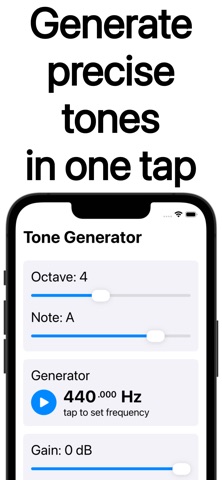
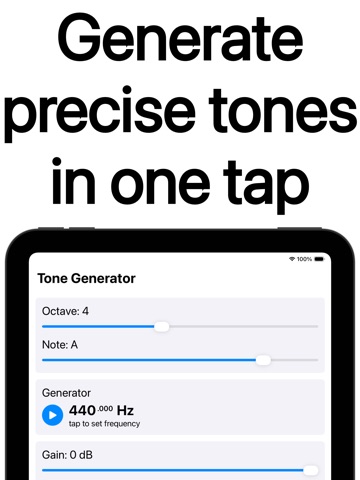
Tone Generator gives you a clean reference tone in seconds. Choose a musical note or type an exact Hz value, press play, and hear a steady tone right away. Built for tuning, training, and sound checks.
Tone Generator is intentionally focused: no accounts, no ads, and it works offline. Use it like a tuning fork when you just need a reliable pitch, or use it as a frequency generator when you need repeatable, numeric precision.
What you can do with Tone Generator
- Tune instruments with a stable reference note
- Run a fast sound test on speakers, headphones, and interfaces
- Practice ear training with consistent tones and intervals
- Demonstrate wave basics, resonance, and generation frequency in class
- Save favorites for quick access
Common ways people use Tone Generator
1. Match a note while tuning guitar, bass, violin, voice, or synth
2. Sweep slowly with a test tone generator to find rattles and distortion
3. Train pitch recognition with a pure tone generator for intervals
4. Support a tuning fork auditory test routine with a consistent reference
5. Set exact targets for repeatable sessions using tone generator hz control
Simple controls that stay out of your way
▸ Note mode for quick musical references and a music tone generator workflow
▸ Hz mode for a precise frequency tone generator value
▸ Smooth volume control for safe listening
▸ Favorites and recent tones for one-click access
▸ Clean playback that behaves like a sine tone generator
When you need quick diagnostics, it can act as a sound tone generator with instant start and stop. When you need numbers, it becomes a hertz tone generator you can trust. And when you need a dependable signal for gear checks, it works as an audio tone generator without extra setup.
Useful presets and shortcuts
• Concert A and other common tuning references
• Practical ranges for speaker checks and headphone tests
• Fast access to the last used frequency
Tuning with Tone Generator feels straightforward
1. Pick a note and start playback
2. Listen for beating as you get close
3. Adjust your instrument until the beating disappears
Troubleshooting workflows that work well
▸ Check left and right channels using the same reference tone
▸ Compare two devices with the exact same Hz setting
▸ Sweep a range to spot harsh peaks, nulls, or cabinet buzz
▸ Confirm smooth volume changes without sudden jump