VirtualTablet: Bluetooth

VirtualTablet: Bluetooth Summary
VirtualTablet: Bluetooth is a free, ad-supported, with in-app purchases iOS app in Art And Design by Eunjin Joo. Released in Mar 2026 (6 months ago). It has 9.00 ratings with a 2.56★ (poor) average. Based on AppGoblin estimates, it reaches roughly 49 monthly active users and generates around $<10K monthly revenue (27% IAP / 73% ads). Store last updated Sep 11, 2026
VirtualTablet: Bluetooth SDKs Summary
App not yet scanned for SDKs.
2.56★
Ratings: 9.00
Screenshots



App Description
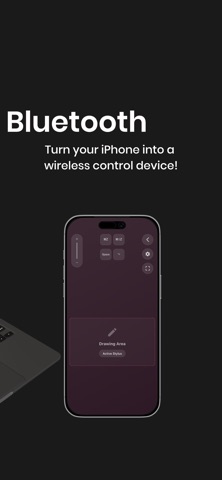
Turn your iPad or iPhone into a wireless pen tablet for your computer!
Draw, write, and control your PC with Apple Pencil—just like a professional graphic tablet.
VirtualTablet lets you use your iOS device as a high-precision input tablet for desktop apps. It’s perfect for digital artists, osu players, and anyone who needs accurate cursor control without buying expensive hardware.
WHAT YOU CAN DO
• Draw directly into desktop creative apps
• Control your computer cursor with Apple Pencil or touch
• Annotate PDFs, slides, and documents for teaching or presentations
• Play rhythm games like osu with precise, low-latency input
-------
CHOOSE YOUR SETUP: SCREEN MAPPING OR MOUSE MODE
VirtualTablet lets you decide how your cursor moves on your device.
• Screen Mapping (Absolute Positioning)
Your iPad maps directly to your computer display, similar to a traditional pen tablet. Ideal for artists and osu players.
• Mouse Mode (Relative Positioning)
Use your iPad like a large trackpad. Cursor movement follows your hand regardless of position.
-------
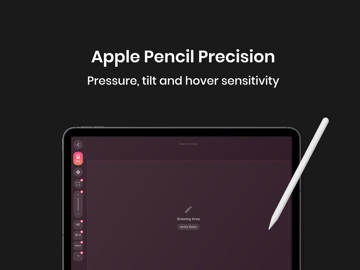
APPLE PENCIL SUPPORT
• Pressure and tilt sensitivity
• Double-tap gesture support
• Hover cursor control on supported Apple Pencil models
Finger or passive stylus input is supported with basic functionality.
-------
WORKS WITH YOUR FAVORITE APPS
Compatible with popular desktop software such as Photoshop, Affinity, Krita, Clip Studio, Illustrator, and more.
-------
GETTING STARTED WITH VIRTUALTABLET
• Download VirtualTablet on your iPhone or iPad
• On macOS, download the companion agent from https://www.sunnysidesoft.com/virtualtablet-bluetooth/download
• No extra agent required for Windows and Linux.
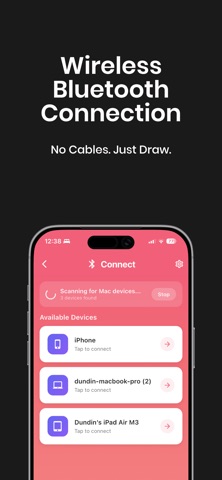
• Launch the app and follow the on-screen instructions
• Connect your device via Bluetooth
• Use Apple Pencil or touch to control your computer
Need help? Visit our website or contact support from the app.
https://www.sunnysidesoft.com/support/
-------
Stop paying for expensive drawing tablets.
Use the device you already own—download VirtualTablet and start creating.
HELP
• Support page: https://www.sunnysidesoft.com/support/
• Email us: support@sunnysidesoft.com
• Terms of Use (EULA): https://www.apple.com/legal/internet-services/itunes/dev/stdeula/