BlahBlah - Message Yourself

BlahBlah - Message Yourself Summary
BlahBlah - Message Yourself is a free, with in-app purchases iOS app in Productivity by 晓晖 王. Released in Feb 2026 (7 months ago). It has 1.00 ratings with a 5.00★ (excellent) average. Based on AppGoblin estimates, it reaches roughly 4.00 monthly active users and generates around $<10K monthly revenue (100% IAP / 0% ads). Store last updated Aug 1, 2026
BlahBlah - Message Yourself SDKs Summary
App not yet scanned for SDKs.
5★
Ratings: 1.00
Screenshots




App Description
BlahBlah - Message Your Future Self
Because some things are only worth saying to yourself.
# Sound Familiar?
You send links to yourself on WhatsApp. You text an idea to your own number before it disappears.
Millions of people do this every day — in apps never quite designed for it. BlahBlah is what that habit always deserved.
# What is BlahBlah?
BlahBlah is a self-messaging app for iOS, built around the familiar comfort of a chat interface — except every message is from you, to you.
Not a journal. Not a note-taking app. Not a to-do list.
A chat. With yourself.
# What You Can Send
A thought doesn't always arrive as words — so send text, images, voice memos (with on-device transcription), links with rich previews, locations, and Apple Music cards.
# Capture From Anywhere
See something worth keeping in another app? Tap Share to send text, links or photos straight into BlahBlah.
BlahBlah controls live in Control Centre, the Lock Screen and the Action Button — one tap to a note, voice, photo, link, music or location. A Quick Capture widget and Siri & Shortcuts capture without even opening the app.
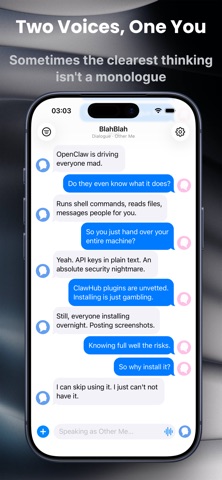
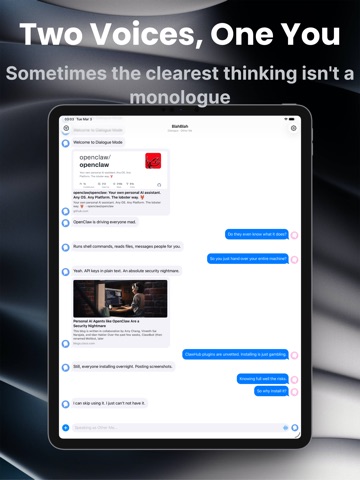
# Two Voices, One You
Sometimes the clearest thinking isn't a monologue. It's an argument.
Dialogue mode splits the conversation into two sides — rational and emotional, question and answer. Set names and avatars for each role, then start talking.
# Write to a Past Moment
Backdate records a message to an earlier date and time — yesterday's forgotten note — then drops it where it belongs in your timeline. A Premium feature, from the "+" menu or Control Centre.
# Look Back
BlahBlah helps you return to yourself:
• On This Day — what you wrote a week, a month, even a year ago. A banner surfaces it, or a daily reminder brings it to you.
• Daily Reflection — a gentle question to look inward, fresh each day. Open it from a widget, reminder or Control Centre; your answer keeps the question with it.
• Streak — a Home and Lock Screen widget counting your days in a row, current at a glance.
# Find Your Past Self
Search and browse your whole history:
Search by keyword, browse by type — every photo, location and link — or filter by date range, tag (Starred, Idea or your own, AND/OR), and dialogue role.
Tap any result to jump back to that moment.
# Keep It Just Right
Long-press any message to edit it in place. Edited messages a