StereoShift - 3D Photo/Video

StereoShift - 3D Photo/Video Summary
StereoShift - 3D Photo/Video is a free, with in-app purchases iOS app in Photo And Video by Lisen Huang. Released in Feb 2026 (7 months ago). Store last updated Aug 11, 2026
StereoShift - 3D Photo/Video SDKs Summary
App not yet scanned for SDKs.
0★
Ratings: 0
Screenshots



App Description
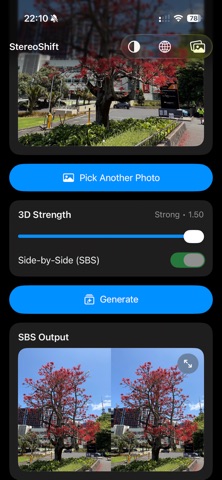
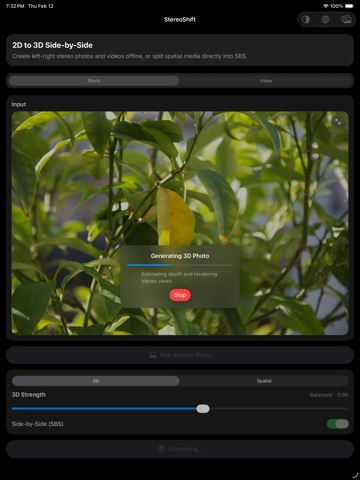
StereoShift turns your photos and videos into immersive 3D Side-by-Side (SBS) content you can preview, share, and save in seconds. Whether you are converting a regular 2D clip into a new 3D look or separating Spatial media into left/right views, StereoShift keeps the workflow simple: pick, generate, preview full screen, then save to Photos or to the in-app gallery.
Local Network Web Share (VR 3D Viewing)
Start Web Share in the In‑App Gallery to publish a private, PIN‑protected gallery on your Wi‑Fi. Open the address in any browser on the same network, including VR/AR headsets, browse a thumbnail list, then tap to view. For SBS media, press Enter VR to watch photos and videos in immersive stereoscopic 3D. Everything stays on your local network (no uploads). Keep StereoShift in the foreground while sharing, and stop Web Share anytime.
Create 3D from 2D
- Convert 2D photos into SBS 3D images with an adjustable 3D Strength control.
- Convert 2D videos into SBS 3D videos while keeping the original audio.
- Smooth, full-screen previews for both images and videos before you export.
Spatial media support
- Convert Spatial photos and videos to SBS by separating the stereo views.
- Spatial conversion does not require the depth model.
Save, share, and organize
- Save results to your in-app gallery to keep everything inside StereoShift.
- Save to the built-in Photos app when you want it in your system library.
- Share your outputs directly to other apps.
Privacy-first by design
- StereoShift only accesses the photo or video you explicitly select. It does not require access to your entire library.
- All processing happens on device and offline. We do not upload your media, and we do not have access to your photos or videos.
- You can use StereoShift even without an internet connection.
Fast on Apple silicon
- StereoShift uses Apple device acceleration, including the built-in Neural Engine when available, to speed up depth estimation and conversion.
- If acceleration is not available for your device or media, StereoShift automatically falls back to other compute options to keep things working reliably.
Made for creators
StereoShift is designed for anyone who wants a quick way to generate SBS 3D content for compatible players, headsets, and workflows. No accounts, no cloud processing, and no complicated steps: just choose your media and generate.
Notes
- Outp