VideoCompressor - Shrink Clip

VideoCompressor - Shrink Clip Summary
VideoCompressor - Shrink Clip is a free iOS app in Photo And Video by Penghui Zhao. Released in Feb 2026 (7 months ago). Store last updated Sep 26, 2026
VideoCompressor - Shrink Clip SDKs Summary
App not yet scanned for SDKs.
0★
Ratings: 0
Screenshots



App Description
VideoCompressor makes it effortless to reduce video file sizes without sacrificing visual quality. Whether you're freeing up storage, preparing clips for social media, or sending large files over messaging apps — VideoCompressor gives you the control you need with a beautiful, intuitive interface.
◆ POWERFUL COMPRESSION ENGINE
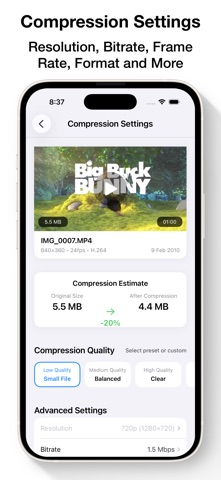
• Three compression backends — AVFoundation, AVAssetWriter, and FFmpeg — automatically selected for the best results
• Hardware-accelerated encoding for blazing-fast compression
• H.264, H.265/HEVC, Apple ProRes, and more output formats
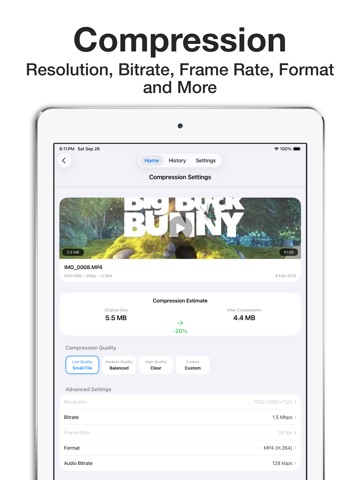
• Fine-grained bitrate control from 500 Kbps to 100 Mbps
◆ FULL CONTROL OVER EVERY DETAIL
• Choose from Low, Medium, High, or Custom quality presets
• Adjust resolution from 360p all the way up to 8K
• Set exact frame rates: 24, 25, 30, 50, 60, 120, or 240 fps
• Control audio bitrate or pass through audio without re-encoding
• Output to MP4, MOV, M4V, or 3GP containers
◆ BATCH COMPRESSION
• Select multiple videos and compress them all at once
• Per-batch quality, resolution, and format settings
• Track progress for the entire batch in real time
◆ BUILT-IN CAMERA
• Record videos directly in the app
• Switch between 720p, 1080p, and 4K recording quality
• Tap-to-focus with animated focus indicator
• Front/rear camera switching and torch/flash toggle
◆ SMART & ORGANIZED
• Compression history with original vs. compressed size comparison
• Compression ratio and duration tracking
• Swipe-to-delete history entries
◆ DESIGNED FOR YOU
• Clean, modern interface with dark mode support
• Real-time compression progress with percentage and time estimates
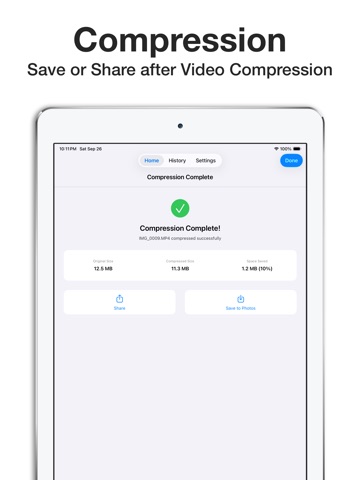
• Share compressed videos instantly when finished
• Option to keep or remove original videos after compression
PRIVACY
VideoCompressor processes all videos locally on your device. No data is uploaded to any server. Camera and photo library permissions are used solely for accessing and recording videos.