Photo Resizer - Resize Image

Photo Resizer - Resize Image Summary
Photo Resizer - Resize Image is a free, ad-supported, with in-app purchases iOS app in Photo And Video by Asad Ahsan. Released in May 2026 (3 months ago). It has 2.00 ratings with a 3.00★ (mixed) average. Based on AppGoblin estimates, it reaches roughly 4.00 monthly active users and generates around $<10K monthly revenue (27% IAP / 73% ads). Store last updated Aug 11, 2026
Photo Resizer - Resize Image SDKs Summary
App not yet scanned for SDKs.
3★
Ratings: 2.00
Screenshots



App Description
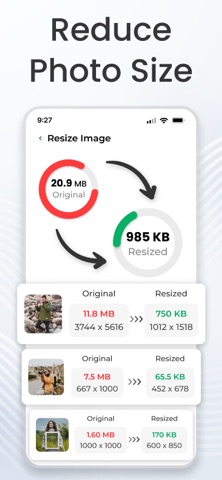
Image Resizer app allows you to reduce image size by width and height, change image dimension by percentage, and convert large images. Whether you’re preparing photos for online forms, social media uploads, email attachments, or freeing up device storage, the app provides precise image resizing and file size control in one place.
Key features of image resizer app:
- Resize images by Width & Height:
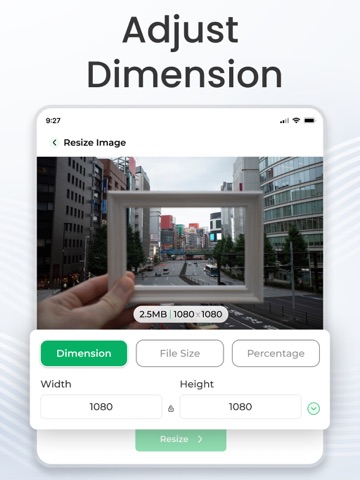
This app lets you resize photos by width and height. You can set the exact dimensions you need, whether for personal use or a presentation. No more guessing or cropping images manually just enter your desired width and height, and the app will automatically downsize image or enlarge photo size. This ensures your image size always fit in any space.
- Resize photos by Percentage:
This feature lets you change the size of your pictures by percentage using an advanced photo resizer. It’s quickly scaling an image up or down without worrying about exact measurements. Simply choose the percentage, and your images will be resized proportionally through the picture resizer app. It’s an easy way to resize photos ready for social media.
- Batch resizer (multiple photos resize):
For users who deal with multiple images at once, this batch image resizer includes a powerful batch resize feature that saves time. Instead of resize images one by one, you can select a whole folder or multiple files and resize them all at the same time.
- Adjust file size :
Photo resizer app can easily convert image file resizer from MB to KB, exactly the way you want. This is especially useful when you need to reduce image size without changing the quality, allowing for faster uploads, sending via email, or saving storage space on your device. You have complete control over the file size without compromising too much on image quality.
How to use our image resizer app?
Our app is designed to be simple and easy for anyone to use. First, select the images you want to resize. Next, choose the resizing method and set the dimensions or percentage you need to change image dimension. If you want, you can also adjust the file size. Finally, tap Resize photos, and your images will be ready in few seconds with high quality.
Benefits :
- Advanced compression options – Reduce image size without changing the quality and reduce photo size in kb while achieving even smaller file sizes.
- Resize pho