PicDock - Live Photo Slideshow

PicDock - Live Photo Slideshow Summary
PicDock - Live Photo Slideshow is a free, ad-supported, with in-app purchases iOS app in Photo And Video by CHAERI PARK. Released in Mar 2026 (7 months ago). It has 1.00 ratings with a 3.11★ (mixed) average. Based on AppGoblin estimates, it reaches roughly 17 monthly active users and generates around $<10K monthly revenue (79% IAP / 21% ads). Store last updated Oct 9, 2026
Recent activity: 1.00 new ratings this week View trends →
PicDock - Live Photo Slideshow SDKs Summary
App not yet scanned for SDKs.
3.11★
Ratings: 1.00
Screenshots




App Description
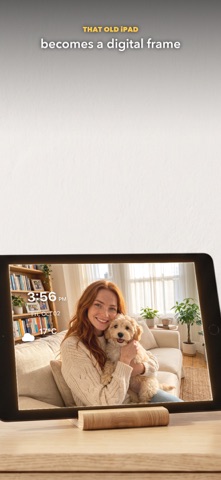
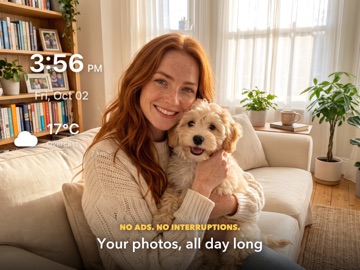
PicDock turns your iPhone and iPad into a photo frame. It plays the photos and videos in your library with smooth transitions, and lets you place a clock, the weather and your battery level wherever you like. No playback limits, no ads.
▸ PHOTOS, LIVE PHOTOS & VIDEOS
Slideshow your entire photo library — or pick specific albums. Live Photos play automatically with a long press, and videos blend seamlessly into the rotation.
▸ 30+ TRANSITIONS
Fade, crossfade, slide, zoom, 3D cube, iris, blinds, clock wipe, bounce, depth, rotate — plus random modes that keep things fresh every time.
▸ APPLE MUSIC BGM
Connect Apple Music and set the mood. The floating mini player lets you see what's playing without leaving the slideshow.
▸ 8 CLOCK STYLES
Digital, large, minimal, flip clock, and 4 analog styles (classic, modern, Swiss, minimal). Choose from 12 fonts and pick any world city timezone.
▸ LIVE WEATHER & 5-DAY FORECAST
See current conditions and a 5-day forecast right on your photo frame. Animated weather effects (rain, snow, clouds) bring your display to life.
▸ MULTI-FRAME LAYOUTS
Show 2 to 4 photos at once in split or grid layouts. Each frame runs its own slideshow independently.
▸ SMART FOCUS
Face detection automatically zooms into the subject of each photo — no cropping needed.
▸ DISPLAY EFFECTS
Ken Burns pan & zoom, parallax motion, bokeh blur backgrounds, and more — your photos come alive with cinematic movement.
▸ PHOTO FILTERS
Apply real-time filters: vivid, warm, cool, noir, chrome, vintage, and more.
▸ NIGHT MODE & SLEEP
Automatically dims the display at night. Set a schedule or let it adapt to sunset and sunrise. Tap the moon button and the screen goes dark with just your clock; tap again for a flashlight and a wake-up button.
▸ BATTERY & PHOTO INFO
See battery level and charging status at a glance. View EXIF data — date, location, camera — for any photo.
▸ FULLY CUSTOMIZABLE
Drag and resize every overlay (clock, weather, music player, battery) anywhere on screen. Adjust slideshow speed, transition duration, and photo order to your liking.
▸ DESIGNED FOR EVERY ROOM
Bedside clock. Kitchen recipe slideshow. Office desk companion. Nursery memory wall. PicDock fits any space.
Download PicDock and turn your screen into a living photo frame.
Terms of Use (EULA):
https://www.apple.com/legal/internet-services