ScreenWall Screen Time Blocker

ScreenWall Screen Time Blocker Summary
ScreenWall Screen Time Blocker is a free, with in-app purchases iOS app in Productivity by Cengiz Darian Hanci. Released in Jun 2026 (3 months ago). Store last updated Sep 7, 2026
ScreenWall Screen Time Blocker SDKs Summary
App not yet scanned for SDKs.
0★
Ratings: 0
Screenshots




App Description
ScreenWall blocks the apps that pull you away, and shows you what you got back.
Built for deep work, studying, exam prep and any evening you would rather not spend scrolling.
THE CORE STAYS FREE
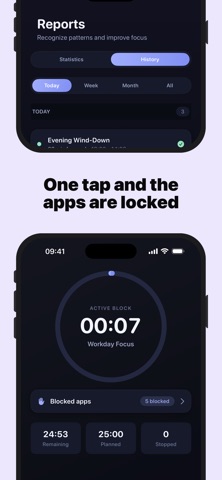
Blocking apps, focus sessions, schedules and your daily report cost nothing — no trial, no countdown. Premium adds the stricter modes and deeper history, and that is all it adds.
SEE WHAT IT IS WORTH
Your screen time today, measured against your own average before ScreenWall. Not a generic benchmark — your baseline, so the number means something.
BLOCK WITHOUT THINKING ABOUT IT
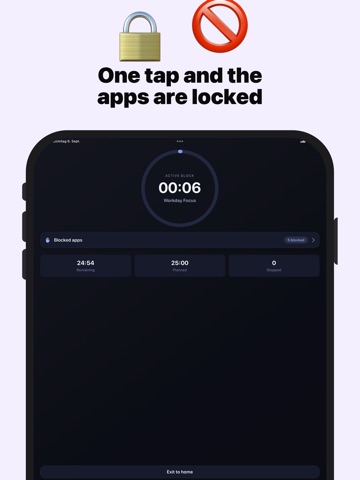
• Quick focus — start a session in seconds
• Ready-made blocks, or build your own
• Schedules that run themselves (09:00–17:00, weekdays)
• Three strictness levels: Gentle, Steady, Locked-in
• Daily time limits per app
WHEN YOU REACH FOR A BLOCKED APP
ScreenWall tells you which rule is running and when it ends — a reminder that you set this yourself, not a wall with nothing behind it.
ASK SIRI
"How much screen time today?" · "What's my streak?" · "Start focus"
WHAT YOU GET BACK
Focus time, completed sessions, how often a block stopped you, and where the trend is going.
PRIVATE BY DESIGN
No account, no sign-up, no email. Your data stays on your device. Optional iCloud backup is yours alone.
PREMIUM
• Advanced reports and trends
• Locked-in mode and stricter controls
• iCloud sync across your devices
Auto-renewable plans (1 month, 6 months, 1 year). Payment is charged to your Apple ID. Manage or cancel any time in your Apple account settings. Restore Purchases is available in the app.
Terms of Use (EULA): https://www.apple.com/legal/internet-services/itunes/dev/stdeula/
Privacy Policy: https://darianhanci-legal.web.app/datenschutz