Cue Shots Designer

Cue Shots Designer Summary
Cue Shots Designer is a mobile iOS app in Sports by Sebastin Michael. Released in Mar 2026 (7 months ago). It has 1.00 ratings with a 1.00★ (poor) average. Based on AppGoblin estimates, it reaches roughly 10 monthly active users . Store last updated Mar 12, 2026
Cue Shots Designer SDKs Summary
App not yet scanned for SDKs.
1★
Ratings: 1.00
Screenshots



App Description
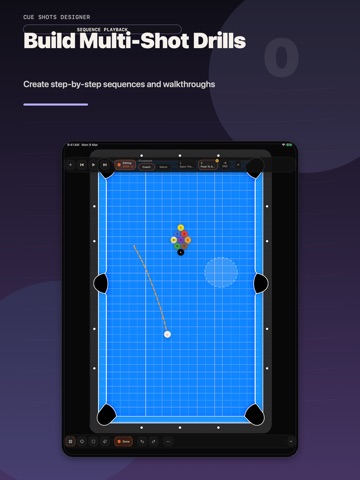
Cue Shot Designer is a fast, touch-first diagramming tool for real pool and billiards players, coaches, and creators. Build shots, drills, layouts, and multi-shot sequences in seconds, then share clean visuals that make ideas easy to teach, study, and post.
Whether you are planning an 8-ball pattern, teaching a 9-ball safety, saving a straight pool layout, or breaking down a single cue ball path, Cue Shot Designer helps you turn table ideas into clear diagrams without fighting clunky controls.
DESIGN SHOTS FAST
• Diagram individual shots, full layouts, drills, and sequences with a few swipes and taps
• Start from 8-ball, 9-ball, 10-ball, or 14.1 racks
• Move balls quickly and zoom or pan for precise placement
• Bookmark a layout so you can show multiple solutions from the same table
SHOW EXACT PATHS AND POSITION PLAY
• Draw paths with intuitive gesture-based controls
• Let balls bounce off rails and each other as you build the shot
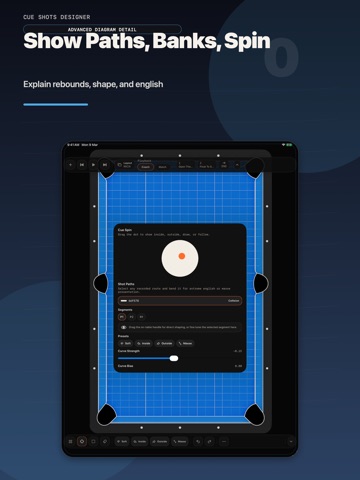
• Bend pathways to demonstrate spin, English, and massé shots
• Add target zones to show ideal cue ball position
• Include a cue ball diagram to show draw, follow, and side spin
BUILT FOR COACHING, PRACTICE, AND CONTENT
• Add notes to explain drills, layouts, and decision-making
• Save important patterns, break shots, banks, kicks, and safeties
• Share diagrams to messaging apps, photo apps, Files, and more
• Export in portrait or landscape based on how you hold your device
• Export with a transparent background for cleaner overlays and social posts
Cue Shot Designer is made for players who want a serious pool and billiards tool—not a game. Use it to teach better, practice smarter, analyze patterns, and create diagrams that look as sharp as your ideas.