Mp3 Tag Editor

Mp3 Tag Editor Summary
Mp3 Tag Editor is a free iOS app in Music And Audio by Ramkumar Velmurugan. Released in Mar 2026 (4 months ago). It has 2.00 ratings with a 5.00★ (excellent) average. Based on AppGoblin estimates, it reaches roughly 12 monthly active users . Store last updated Apr 7, 2026
Mp3 Tag Editor SDKs Summary
App not yet scanned for SDKs.
5★
Ratings: 2.00
Screenshots




App Description
MP3 Tag Editor is the most powerful ID3 tag editor built natively for iPhone and iPad. Edit all your MP3 metadata — titles, artists, albums, artwork, lyrics, and 17+ tag fields — right from your pocket. No subscriptions. No ads. No internet required.
Built entirely in Swift with a custom-built ID3 parser, MP3 Tag Editor reads and writes MP3 tags with zero third-party dependencies. It supports ID3v1, ID3v1.1, ID3v2.2, ID3v2.3, and ID3v2.4 — the widest format coverage of any iOS tag editor.
FULL TAG EDITING
Edit every standard metadata field: Title, Artist, Album, Album Artist, Year, Genre, Track & Disc Number, Composer, Original Artist, Publisher, Encoder, Copyright, ISRC, BPM, Comments, and Lyrics. Add, replace, or remove album artwork (JPEG & PNG).
LIBRARY MANAGEMENT
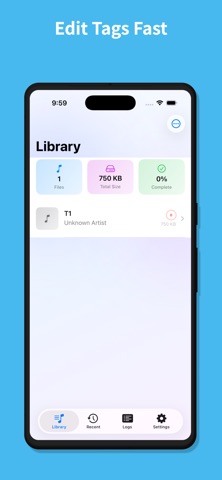
Import files individually, by folder, or wirelessly from any browser on your network. Search across all fields instantly. Sort by title, artist, album, year, date added, or file size. Filter by genre, year, artwork presence, or tag completeness. A visual completeness ring on every file shows how much metadata is filled in at a glance.
BATCH EDITING
Select multiple files and apply tags in bulk — perfect for tagging entire albums at once. Set the artist, album, genre, year, composer, publisher, and album artwork across dozens of files in seconds.
BUILT-IN AUDIO PLAYER
Preview your music without leaving the app. A floating mini player lets you listen while you edit, with full playback controls, a seek bar, and skip forward/backward. Background playback keeps the music going while you work.
WI-FI UPLOAD
Spin up a built-in web server and upload MP3 files from any computer or device on your network — no cables, no third-party apps. Just open a browser and drag your files in.
150+ GENRE PICKER
Browse the complete ID3 genre list organized by category — Rock, Electronic, Hip-Hop, Jazz, Classical, and more. Search instantly or type in any custom genre.
DESIGNED FOR YOU
• Pure SwiftUI with dark mode support
• 6 accent color themes to personalize your experience
• Haptic feedback throughout the interface
• Shake to undo edits
• Auto-save option for hands-free editing
• Complete edit history and event logs
• Recently edited files for quick access
• First-launch onboarding walkthrough
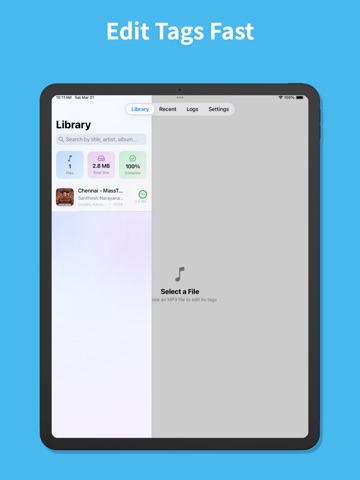
• iPad split view and multi-window support
PRIVACY FIRST
MP3 Tag Editor works entire