MT — Mosh Terminal

MT — Mosh Terminal Summary
MT — Mosh Terminal is a free, with in-app purchases iOS app in Developer Tools by Jaga Studio. Released in Apr 2026 (5 months ago). It has 4.00 ratings with a 4.75★ (excellent) average. Based on AppGoblin estimates, it reaches roughly 22 monthly active users and generates around $<10K monthly revenue (100% IAP / 0% ads). Store last updated Aug 29, 2026
MT — Mosh Terminal SDKs Summary
App not yet scanned for SDKs.
4.75★
Ratings: 4.00
Screenshots



App Description
Never miss a Claude Code prompt again.
Ever stepped away from your Mac, checked your phone, and
realized Claude Code had been waiting for you to approve
a change for 20 minutes? That's the frustration MT fixes.
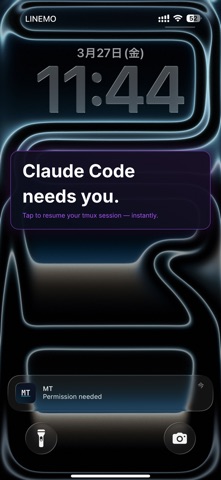
MT - Mosh Terminal is the mobile companion for Claude Code, Codex, and AI coding agents. The moment your agent needs input, a push notification reaches your iPhone. Tap it — MT instantly resumes the exact tmux session over rock-solid Mosh.
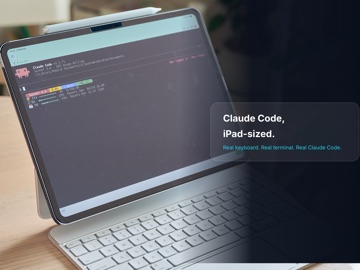
Not just SSH — a pro terminal for mobile developers. With an external keyboard, iPad becomes a Mac-level terminal experience.
CLAUDE CODE INTEGRATION
• System-level push notifications via Claude Code and Codex CLI hooks
• Task completion and permission requests reach your iPhone and Apple Watch instantly
• Tap a notification → MT auto-resumes the exact tmux session (host, user, and session name are matched automatically)
• Paste two hook entries and you're done — no CLAUDE.md hacks
• Self-hosted push relay supported — no vendor lock-in
CONNECT ANYWHERE
• SSH — Secure shell connections to any remote server
• Mosh — Mobile-optimized sessions that survive network changes, Wi-Fi handoffs, and sleep/wake cycles. Your session stays alive, even on the subway
• Automatic SSH fallback when Mosh UDP is blocked
• Configurable connection timeout and quick-connect mode
POWERFUL ON IPAD
• Stage Manager multi-window support — resize and run multiple terminals side by side
• External keyboard, mouse, and trackpad support
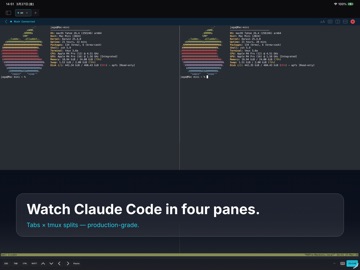
• Multi-pane tmux layouts on the large screen
KEYBOARD-FIRST DESIGN
• Full keyboard-only operation with Magic Keyboard, split ergonomic boards, or custom ZMK builds
• Software key bar auto-minimizes when an external keyboard is detected
• Keyboard shortcuts: ⌘1-9 tab switch, ⌘N new connection, ⌘W close, ⌘D split pane
• JIS keyboard auto-detection with ¥→\ conversion
• Full CJK input: Japanese, Chinese, and Korean IME with inline pre-edit composition
ONE-TAP TMUX
• Split panes, switch windows, and manage sessions from the bottom action bar
• No need to memorize prefix key combos — tmux power, mobile simplicity
• Your server's tmux config (prefix key and key bindings) is automatically imported
• 15+ built-in actions with customizable ordering and visibility
FILE TRANSFER & COMMANDS
• SFTP remote browser — walk directories and pick fil