Photo Layout Editor-Collage-A4

Photo Layout Editor-Collage-A4 Summary
Photo Layout Editor-Collage-A4 is a free, with in-app purchases iOS app in Photo And Video by 云涛 贾. Released in Mar 2026 (7 months ago). Store last updated Oct 6, 2026
Photo Layout Editor-Collage-A4 SDKs Summary
App not yet scanned for SDKs.
0★
Ratings: 0
Screenshots




App Description
Your all-in-one photo layout, editing, and creation studio
Whether you are polishing one photo or printing a page of memories, the whole workflow comes together here. Add illustrations, text, and watermarks to a single shot for instant-film, film-strip, or vintage looks; then switch to smart layouts when you have a set to print.
4,000+ illustrations, ready to mix and match
The library now includes 4,000+ stickers and illustrations with no pack-by-pack unlocking. Browse Chinese, Japanese, and English text, front/three-quarter/side/upward-facing portrait elements, cute pets, journals, food, weather, travel, travel dates, sports, holidays, and more. New face-covering illustrations make playful privacy-friendly edits easy.
From one-photo creativity to smart multi-photo layouts
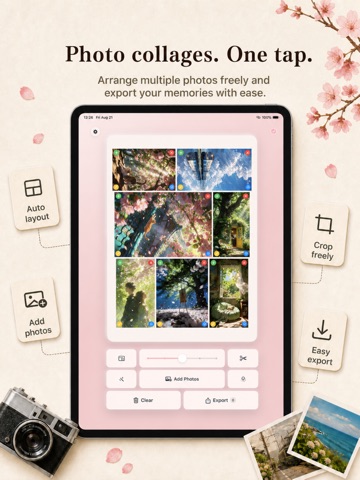
Crop, color-grade, decorate, caption, and watermark a single image. For multiple photos, each placement is calculated to make the most of an A4 page, with clear cut lines added. Choose portrait, landscape, or automatic layouts, then set each photo to common 1–6 inch sizes, ID-photo ratios, a full A4 image, or any custom size and fill mode.
Treat every photo like a finished piece
Switch among 20+ creative effects including instant-film frames, classic borders, rounded corners, vignettes, film strips, sprocket holes, torn paper, stamps, light leaks, grain, halftone, reflections, and date stamps. Apply dozens of film and color styles, from Hasselblad blue and Leica vivid to soft Japanese, vintage film, cinematic teal-and-orange, neon, monochrome, and duotone looks.
Text, watermarks, logos, and fonts
Write dates, locations, and custom captions; adjust color, weight, shadow, size, and opacity, then drag text into place. Add text watermarks, choose from 30+ camera and phone brand logos, or import your own image watermark and remove a plain-color background. TTF, OTF, and TTC font imports are supported alongside system fonts.
Independent edits, high-quality export
Crop, effects, styles, text, and watermarks are saved per photo, so changing one never disturbs the rest. Export a high-resolution A4 image, print wirelessly with AirPrint, save to Photos, or share with friends. Pro removes the daily export limit.