Photo Compressor: Save Space

Photo Compressor: Save Space Summary
Photo Compressor: Save Space is a free, with in-app purchases iOS app in Tools by Inverse.AI. Released in Apr 2026 (6 months ago). Store last updated Jun 23, 2026
Photo Compressor: Save Space SDKs Summary
App not yet scanned for SDKs.
0★
Ratings: 0
Screenshots


App Description
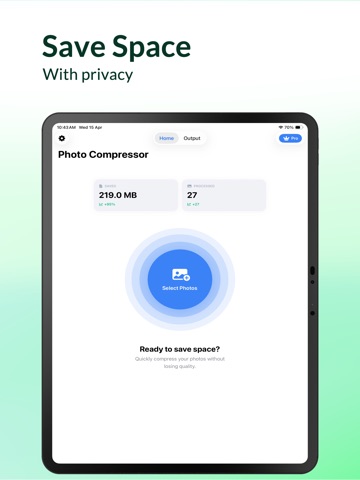
Stop deleting the photos you love just to make room. Is your device storage full? Photo Compressor: Save Space is the fastest way to shrink massive image files and reclaim gigabytes of storage without losing the crisp, high-definition quality of your memories. Whether you're struggling to send a large 20MB photo over Email or Discord, or you just want to clear thousands of HEIC files from your library, our image compressor optimizes your media in seconds.
Key Features:
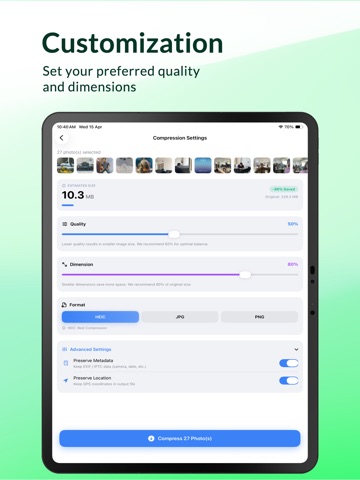
1. Smart Compression: Reduce file sizes by up to 90% while maintaining stunning visual clarity.
2. Bulk & Batch Processing: Select hundreds of photos at once and shrink them in a single tap.
3. HEIC to JPEG Converter: Instantly turn "unsupported" Apple HEIC files into universal, web-ready JPEGs.
4. Format Flexibility: Full support for JPEG, PNG, and the latest Apple HEIC/HEIF formats.
5. MB to KB Precision: Perfect for meeting strict upload limits on Discord, Gmail, and Slack.
6. Safe Cleanup: Preview your savings before you delete the originals. Your privacy is 100% local—no photos ever leave your device.
Why choose Photo Compressor?
Most "resizers" just make your photos small and blurry. Our optimizer uses advanced bit-rate shaping to remove data you can't see, keeping your photos looking identical to the originals—just at a fraction of the size.
Clear the clutter. Save the memories. Get your space back today.
Privacy Policy: https://docs.google.com/document/d/1kybCaVHoMNrwbW4cMErRCkGSdXPQdVXsiDVQrru2gNY/edit?usp=drive_link
Terms of Use: https://docs.google.com/document/d/1sfXCo1smPVDykDJ2aGVMfk0oTpb6Xbinq688ic1Tb1Q/edit?usp=drive_link