TinyNetTool: NAT Type & Ping

TinyNetTool: NAT Type & Ping Summary
TinyNetTool: NAT Type & Ping is a free, ad-supported iOS app in Tools by Lu Cheng Wei. Released in Apr 2026 (7 months ago). Store last updated Oct 16, 2026
TinyNetTool: NAT Type & Ping SDKs Summary
App not yet scanned for SDKs.
0★
Ratings: 0
Screenshots


App Description
TinyNetTool is a pure network diagnostic toolkit built for gamers, NAS owners, and network engineers.
(Note: This app is a diagnostic & testing utility, NOT a VPN tunnel or gaming accelerator.)
Core Features:
- Deep NAT & CGNAT Detection: Accurately identify NAT Type 1 to 4 based on RFC 3489 and detect CGNAT (100.64.0.0/10). Essential for PS5/Switch multiplayer matchmaking, P2P, and NAS port forwarding.
- NAT Optimization Guide: Step-by-step guidance on bridge mode, UPnP activation, and DMZ settings when strict NAT 3/4 or CGNAT is detected.
- Multi-Protocol Ping: Native ICMP, TCP, HTTP, and UDP modes with a live latency chart to visualize jitter and packet loss.
- Traceroute: Step-by-step hop latency display to pinpoint network routing bottlenecks.
- DNS Lookup: Query A/AAAA/CNAME/MX/NS/TXT records directly against public resolvers.
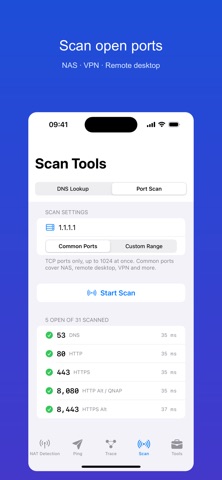
- TCP Port Scanner: Scan common NAS and remote desktop ports in one tap, or scan a custom range.
- Ignore Proxy Probing: Bypass system proxy settings to detect your device's real direct connection status.
- Export Markdown Diagnostics: Copy structured diagnostic logs with one tap to share on forums or GitHub.
[Free & Pro Lifetime]
- Free to download: access all tools with daily free quotas, plus rewarded video ads for extra bonus runs.
- Optional Pro Lifetime Upgrade (one-time purchase, no subscription): permanently remove all ads, unlock unlimited diagnostics, and support ongoing development!
Privacy First: 100% local execution, 0 data collected for all diagnostics — except when you choose to submit feedback via the optional Report a Problem feature.