AuraLens Lifelogging

AuraLens Lifelogging Summary
AuraLens Lifelogging is a mobile iOS app in Photo And Video by Mark David. Released in Apr 2026 (6 months ago). Store last updated Oct 16, 2026
AuraLens Lifelogging SDKs Summary
App not yet scanned for SDKs.
0★
Ratings: 0
Screenshots



App Description
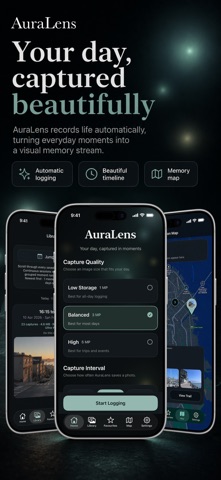
AuraLens is an automatic lifelogging camera app that quietly captures the moments that usually slip by.
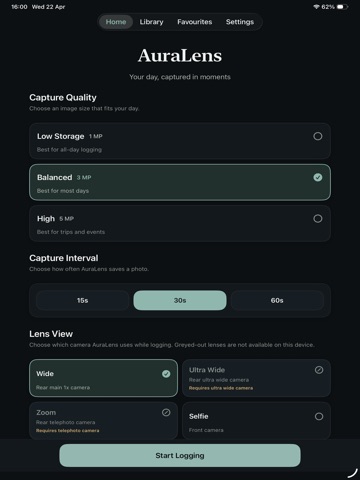
Set your capture quality, choose an interval, pick a lens and start logging life. AuraLens saves still images over time, building a visual record of your day that you can return to later in a clean, fast timeline. Simply pop it in your shirt pocket or a lanyard and capture your whole trip.
It's designed for real life, walks, family time, travel, creative outings, events and everything in between. Whether you want a personal archive, a memory aid or a passive way to document your day without constantly reaching for your camera, AuraLens makes it simple.
Your sessions are saved locally on your iPhone, with optional manual backup for extra peace of mind. When you are finished, you can browse sessions in Library, scrub through moments quickly, favourite the images you want to keep and explore Highlights selected from your strongest shots. AuraLens can now also save location points during a session, letting you see where your memories happened on a private map. View sessions by place, follow a photo trail from a walk or day out and jump from a captured image straight to its saved map location.
How AuraLens works -
Choose a capture quality
Set a logging interval
Pick a lens your device supports
Start logging and let AuraLens capture still images over time
Review your sessions later in Library, Favourites and Highlights
Export images or whole sessions to your photo library
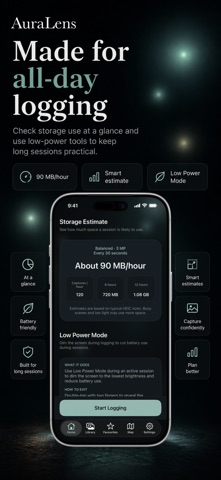
Plus, Low Power Mode to dim the screen and reduce battery use
Features -
Timed photo logging that captures your day automatically
Multiple capture quality options to balance clarity and storage
Adjustable intervals for slower or denser logging
Lens selection based on your device
Selfie camera logging
Volume button triggers for extra shots
Apple Watch companion app with snapshot trigger
Add Apple Watch complication button to your watch screen
Apple Watch double tap
Pause and resume a session with your Apple Watch
iPhone lock screen button and Action button shortcut
Max resolution image setting
Fast session viewer with timeline scrubbing
Full-screen image viewing with zoom and pan
Favourite individual images and moments
Highlights view that surfaces stronger suggested images
Memory Map for browsing sessions by place
Optional session location and photo trail mapping
Photo Trails that show