Form Maker for Google Forms

Form Maker for Google Forms Summary
Form Maker for Google Forms is a free, with in-app purchases iOS app in Tools by Appsy Digital. Released in Apr 2026 (5 months ago). Store last updated Apr 19, 2026
Form Maker for Google Forms SDKs Summary
App not yet scanned for SDKs.
0★
Ratings: 0
Screenshots


App Description
Forms for Google Forms — the fastest way to create, share, and manage
Google Forms right from your iPhone and iPad.
Whether you need a quick poll, a customer feedback survey, an event RSVP,
a quiz for students, or a job application form, this app gives you a clean
and powerful interface to build forms in seconds and collect responses on
the go.
KEY FEATURES
• Create forms fast — Build professional forms in minutes with an
intuitive editor designed for mobile. (required premium)
• Multiple question types — Short answer, paragraph, multiple choice,
checkboxes, dropdowns, linear scale, date, time, and more. (required premium)
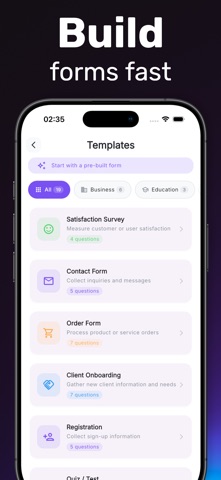
• Beautiful templates — Start from ready-made templates for surveys,
quizzes, registrations, feedback, contact forms, and event RSVPs. (required premium)
• Share anywhere — Send forms via link or QR code. Embed on websites with one tap.(required premium)
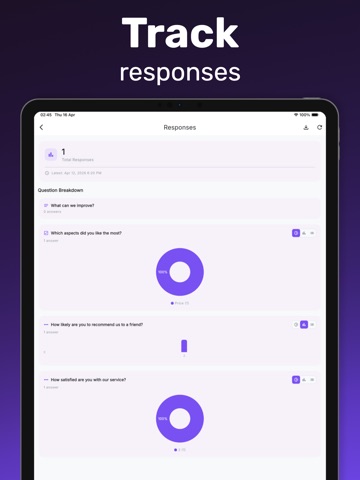
• Collect responses — View answers in real time, organized in a clean
dashboard with charts and summaries.(required premium)
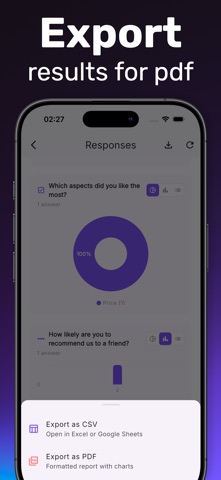
• Export to Sheets — Send all responses to Google Sheets automatically
for deeper analysis.(required premium)
• Offline mode — Draft and edit forms even without an internet
connection. Sync when you're back online.(required premium)
• Dark mode — Comfortable on the eyes, day or night.(required premium)
PERFECT FOR
• Teachers creating quizzes and tests
• Small business owners collecting customer feedback
• Event organizers managing RSVPs and registrations
• HR teams running employee surveys
• Marketers building lead capture forms
• Students collaborating on group projects
• Researchers running quick polls and questionnaires
WHY USERS LOVE IT
• Clean, distraction-free interface
• Native iOS performance — fast and smooth
• Privacy first — your data stays yours
• Works seamlessly with Google Forms
• No ads in core form-building flow
• Regular updates with new features
HOW IT WORKS
1. Pick a template or start from scratch
2. Add your questions and customize the design
3. Share the form with your audience
4. Watch responses come in live
5. Export to Sheets or share insights
SUPPORT & FEEDBACK
We read every message. If you have a feature request or run into an
issue, please get in touch — we ship updates fast based on user feedback.
Note: This app is an independent client and is not