Whateatver

Whateatver Summary
Whateatver is a free, ad-supported, with in-app purchases iOS app in Food And Drink by YI HAO WU. Released in May 2026 (3 months ago). Store last updated Aug 16, 2026
Whateatver SDKs Summary
App not yet scanned for SDKs.
0★
Ratings: 0
Screenshots



App Description
Can't Decide What to Eat? Ask Whateatver.
Whateatver is an app for building your personal food ranking and using a dice roll to decide where to eat today. From rating and the random picker to cross-platform import, real-time collaboration, and cloud backup — it settles "what's for dinner" once and for all.
1. Build Your Food Ranking
Rank every restaurant on your own terms — tier names, order, and colors are all customizable. When you create a new list, pick a starter template too: the classic S/A/B/C/D/E, or a "To-try / Conquered" check-in style. Create separate lists for lunch, late-night snacks, or date night and switch between them instantly.
2. Let the Dice Decide
Indecision ends here. Tap the dice and the app instantly picks a restaurant from your list. Filter by tier, tag, price, or distance, or check "Exclude recently visited" to keep things fresh.
3. One-Tap Share Import from Any App
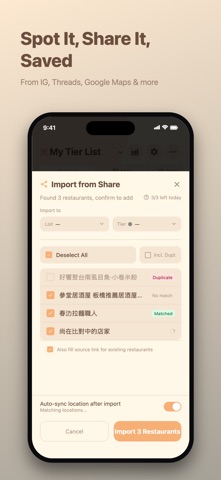
Spot a restaurant on Google Maps, Instagram, Threads, X, Bluesky, Tabelog, or Naver? Just hit Share → Whateatver. The app automatically identifies the name, address, and location — no manual entry needed. You can also bulk-import Google Maps lists and saved places.
4. Live Opening Hours
Add a restaurant's weekly hours and the app shows a live "Open / On break / Closed / Closed today" status right on the card based on the current time — so you know before you head out.
5. Google Maps Integration & Map View
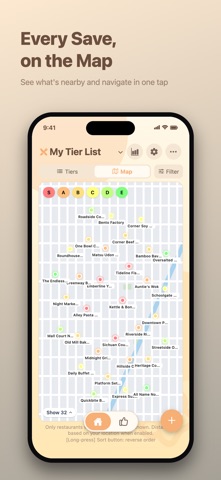
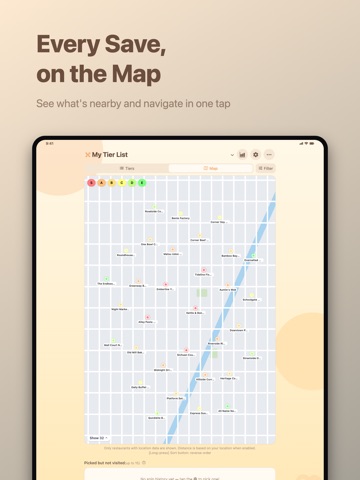
Tap any place on the map when adding a restaurant — name, address, and map link fill in automatically. Switch to map view to see all your restaurants at a glance, filter by tier or tag, sort by distance, and tap any card to navigate.
6. Collaborative Lists
Create a shared list and invite friends via link or QR to edit together in real time. Everyone's adds, ratings, and ordering sync instantly — build a shared food map together. (Whateatver Pro)
7. Cloud Backup
Sign in with Apple or Google to back up all your lists to the cloud. Restore them easily on a new phone or after reinstalling, with both manual and automatic backup. (Whateatver Pro)
8. Record Every Visit
Mark a restaurant as eaten, then write a dining note on the spot. Every restaurant has its own visit timeline so you can look back months later.
9. Share Lists & Official Picks
Generate a QR code and let friends scan to import your full list — names, map links