PDFPager - Reorder Combine PDF

PDFPager - Reorder Combine PDF Summary
PDFPager - Reorder Combine PDF is a with in-app purchases iOS app in Tools by Life Utility Apps, LLC. Released in Apr 2026 (1 month ago). Store metadata: updated Apr 14, 2026.
Store info: Last updated on App Store on Apr 14, 2026 .
0★
Ratings:
Screenshots

App Description
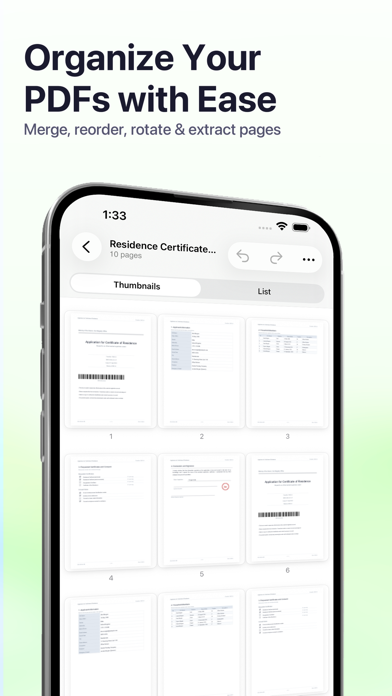
PDFPager is the fastest way to rearrange, merge, and clean up PDFs on your iPhone and iPad. Drag pages into the order you want, combine multiple files into one, and export — no account, no sign-up, no uploads.
CORE FEATURES
• Merge PDFs — combine any number of files into a single document
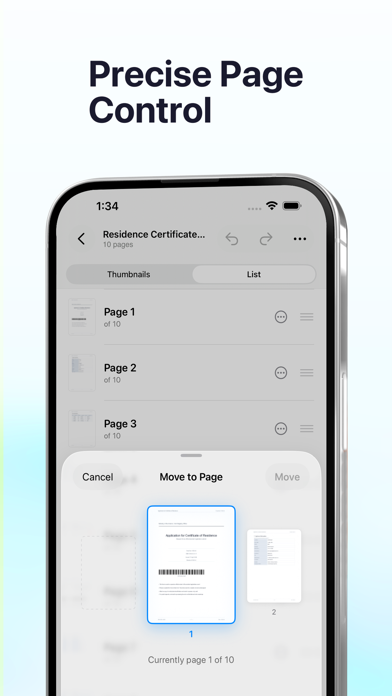
• Reorder pages — drag and drop in a visual thumbnail grid, or switch to List mode for large documents with 100+ pages
• Rotate pages — fix sideways scans with 90°, 180°, or 270° rotation
• Extract pages — pull a range into a new standalone PDF
• Delete pages — remove blanks and unwanted sheets in a tap
• Edit PDF metadata — title, author, subject, keywords, creation and modification dates
• Full undo and redo for every edit
• Revert to Original — roll back to the untouched source file at any time
• Draft auto-save — pick up right where you left off if you get interrupted
• Password-protected PDFs — unlock and merge secured files without leaving the app
PRIVATE BY DESIGN
PDFPager runs entirely on your device. Nothing is sent to a server, nothing is uploaded to the cloud, and no account is ever required. Your original files are never modified — every export creates a new file, so the source stays safe. Optional Face ID or Touch ID can lock the app when you're not using it.
BUILT FOR REAL WORK
• Open PDFs directly from the Files app
• Receive files through the Share Sheet from Mail, Messages, Safari, and other apps
• Save finished documents back to Files, or share them by AirDrop, Messages, or email
• Universal app for both iPhone and iPad
• Clean, native interface with no ads and no tracking
PRICING
Start free with 4 exports every 24 hours. Unlock unlimited exports with a single one-time Lifetime Access purchase — no subscription, no recurring fees.
Whether you're putting together a report, trimming a scanned document, or just fixing the order of a few pages, PDFPager keeps the whole workflow fast, private, and on your device.
Terms of Use (EULA):
https://www.apple.com/legal/internet-services/itunes/dev/stdeula/