Photos to PDF Converter: Image

Photos to PDF Converter: Image Summary
Photos to PDF Converter: Image is a free, with in-app purchases iOS app in Tools by Andrii Kulchytskyi. Released in Apr 2026 (7 months ago). Store last updated Apr 15, 2026
Photos to PDF Converter: Image SDKs Summary
App not yet scanned for SDKs.
0★
Ratings: 0
Screenshots




App Description
Create PDFs from photos, scans, and files in seconds. Merge pages, set size and layout, save or share fast, and keep every conversion on your device.
App Store description
Turn photos, scans, and files into clean PDFs in seconds with Photos to PDF. Create polished PDF documents on iPhone and iPad, merge multiple pages into one file, or export separate PDFs when you need to stay organized.
Import images from your photo library, capture a page with your camera, or choose files from the Files app. Photos to PDF is built for receipts, notes, forms, invoices, homework, contracts, travel documents, and everyday paperwork.
Main features
Photo to PDF in seconds
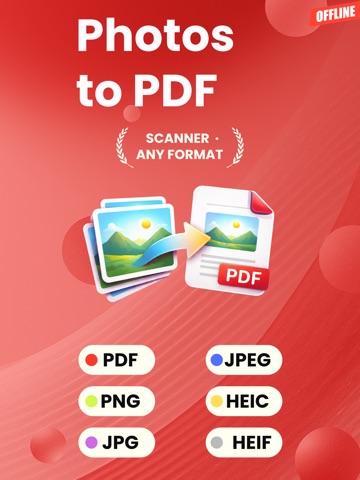
Convert JPG, JPEG, PNG, WEBP, BMP, HEIC, and HEIF images into high quality PDF files.
Merge to PDF
Combine multiple photos, scans, and supported files into one PDF for easier sharing, printing, and storage.
Separate PDFs
Select multiple files and export each one as its own PDF.
Flexible PDF settings
Choose page size, orientation, and margins before you export.
Import, save, and share fast
Import from Photos, Camera, and Files. Save the result, share it instantly, and revisit past conversions in History.
Extra conversion tools
Convert supported PDF files into TXT or HTML when you need simple text output.
Private by design
Conversions are processed on your device, so your files stay with you during the conversion process.
Photos to PDF is a practical PDF maker for students, professionals, freelancers, and anyone who wants a simple way to create PDFs without a complicated workflow.
Upgrade to Premium to unlock unlimited conversions.
Privacy Policy: https://www.termsfeed.com/live/b3998063-8bb1-4b9b-a154-4e6aca42e33f
Terms of Use: https://docs.google.com/document/d/10lz9bOem2NdIozg5HH0tKHHJT1S1Y9f_htLv9jejmfI/edit?usp=sharing