Video Size Reducer & Shrinker

Video Size Reducer & Shrinker Summary
Video Size Reducer & Shrinker is a free, with in-app purchases iOS app in Photo And Video by Hung Do. Released in May 2026 (3 months ago). Store last updated Aug 22, 2026
Video Size Reducer & Shrinker SDKs Summary
App not yet scanned for SDKs.
0★
Ratings: 0
Screenshots

App Description
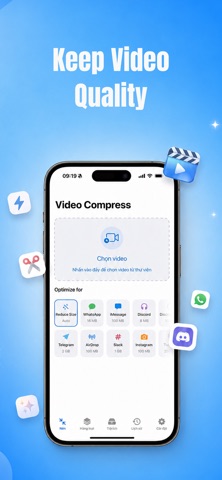
Running out of iPhone storage? Video Compressor & Shrinker shrinks any video in seconds — 4K, HD, or standard — with no upload, no watermark, and no visible quality loss.
Whether you need to send a large video by email, share a clip in chat, post to Instagram, TikTok, Facebook or other social media, free up storage before a trip, or back up precious memories to iCloud, one tap is all it takes.
WHY YOU'LL LOVE IT
• Free up gigabytes of iPhone and iPad storage in just a few taps
• Reduce video file size without sacrificing the quality you care about
• Attach videos to email and chat without frustrating "file too large" errors
• Share videos faster with messaging apps, AirDrop and social networks
• Upload videos faster and use less mobile data
• Back up more videos to iCloud without constantly running out of space
• Resize 4K and HD clips into clean, lightweight, share-ready files
• Keep more photos and videos on your device without deleting the moments you love
KEY FEATURES
• One-tap video compression with smart presets: Small, Medium and High Quality
• Custom compression mode: choose your own resolution, bitrate, frame rate and output format
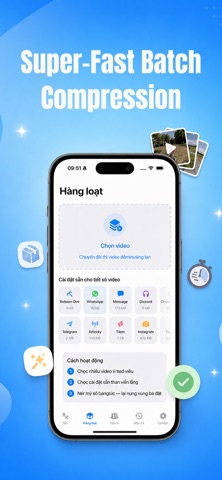
• Batch compression — shrink multiple videos and large files at once
• Preview before and after — compare file size, duration, resolution and quality side by side
• Trim, crop and rotate videos before compressing to save even more storage space
• Convert videos between MP4, MOV and M4V formats
• Change video resolution and bitrate to create the perfect balance between quality and file size
• Adjust frame rate for smaller files when you do not need the original FPS
• Mute audio or keep the original sound
• Save compressed videos directly to Photos or Files
• Share your smaller videos to any installed app in seconds
• Works fully offline — video compression runs entirely on your device
• No watermark on exported videos
• No account required and no need to upload your private videos to a server
PERFECT FOR
• Sending long videos by email and messaging apps
• Sharing large video files with friends, family and coworkers
• Posting short-form videos, stories, reels and clips to social media
• Travelers shooting 4K footage who keep running out of storage
• Parents archiving kids' videos, clips and important milestones
• Students and teachers sharing lecture reco