Kliptra: Screen Recorder

Kliptra: Screen Recorder Summary
Kliptra: Screen Recorder is a free, with in-app purchases iOS app in Photo And Video by Mohamed Hadji. Released in May 2026 (4 months ago). It has 1.00 ratings with a 5.00★ (excellent) average. Based on AppGoblin estimates, it reaches roughly 2.00 monthly active users and generates around $<10K monthly revenue (100% IAP / 0% ads). Store last updated May 7, 2026
Kliptra: Screen Recorder SDKs Summary
App not yet scanned for SDKs.
5★
Ratings: 1.00
Screenshots


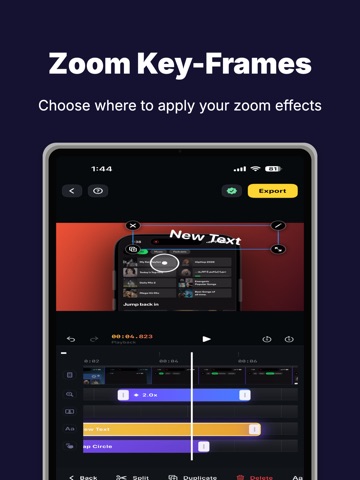
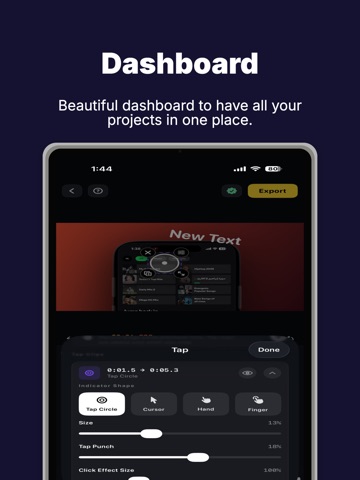

App Description
Kliptra helps you turn screen recordings into polished app demo videos right on your iPhone.
Record or import a screen recording, then transform it into a clean, professional demo with zooms, device frames, text, shapes, voiceover, camera overlays, and beautiful export layouts.
Whether you are launching an app, teaching a workflow, creating tutorials, recording product walkthroughs, or making content for social media, Kliptra gives you a faster way to create videos that look clear, focused, and ready to share.
FEATURES
• Record or import screen videos
Capture new footage or bring in an existing screen recording and start editing right away.
• Timeline-based demo editing
Trim clips, arrange your video, adjust timing, and build a polished walkthrough without needing a desktop editor.
• Zooms and focus moments
Guide the viewer’s attention by adding zooms to important taps, buttons, text, and app actions.
• Text, shapes, and callouts
Add clean titles, labels, arrows, shapes, and visual highlights to explain what is happening on screen.
• Camera overlays and voiceover
Add face camera clips and recorded voiceover to make your demo more personal, clear, and engaging.
• Device frames and backgrounds
Present your screen recording inside polished device-style layouts with clean framing and backgrounds.
• Export for launches and sharing
Create high-quality videos for App Store previews, Product Hunt launches, tutorials, onboarding, social media, and internal demos.
KLIPTRA PRO
Kliptra Pro unlocks premium export features, including watermark-free exports and higher-quality output options.
Available subscriptions:
• Monthly Pro
• Yearly Pro
Subscriptions renew automatically unless canceled at least 24 hours before the end of the current billing period. Payment is charged to your Apple ID account at confirmation of purchase. Your account will be charged for renewal within 24 hours before the end of the current period. You can manage and cancel subscriptions in your Apple ID account settings after purchase.
Privacy Policy: https://www.kliptra.com/privacy/ios
Terms of Use: https://www.kliptra.com/terms/ios