3D Print Designer CAD

3D Print Designer CAD Summary
3D Print Designer CAD is a free, ad-supported, with in-app purchases iOS app in Art And Design by Sebastian Kemper. Released in May 2026 (4 months ago). It has 26 ratings with a 4.62★ (excellent) average. Based on AppGoblin estimates, it reaches roughly 258 monthly active users and generates around $<10K monthly revenue (66% IAP / 34% ads). Store last updated May 26, 2026
Recent activity: 1.00 new ratings this week View trends →
3D Print Designer CAD SDKs Summary
App not yet scanned for SDKs.
4.62★
Ratings: 26
Screenshots


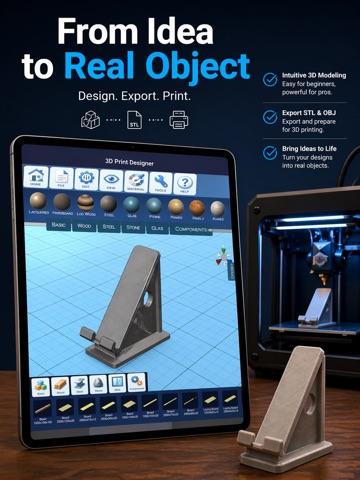


App Description
3D Print Designer – Create & Print Your Ideas
Turn your ideas into real 3D objects.
With 3D Print Designer, you can easily create, edit, and prepare models for 3D printing – all in one powerful CAD app.
Design for 3D Printing – Simple & Powerful
Create precise 3D models using an intuitive interface designed for beginners and advanced users alike.
- Create models from basic shapes (cube, sphere, cylinder & more)
- Import existing 3D files and continue editing
- Combine, scale, rotate, and customize objects
- Use real-world measurements for accurate results
Ready for Real Production
Prepare your designs directly for manufacturing.
- Export your models in common 3D formats (e.g. STL, OBJ)
- Assign materials and optimize your design
- Take screenshots and previews of your models
Built-In Components & Materials
Speed up your workflow with ready-to-use elements.
- Structural parts like wooden beams, steel components, and more
- Reusable building elements for faster design
- Material assignment for realistic visualization
From Design to Physical Object
Bring your models to life.
- Direct link to 3D printing services via Treatstock
- Upload your design and order a real 3D print
- Perfect for prototypes, DIY projects, and custom parts
Who is this app for?
- Makers & DIY enthusiasts
- Engineers & designers
- Students & hobbyists
- Anyone who wants to create and print 3D objects
Why 3D Print Designer?
- Easy to learn, powerful to use
- Designed specifically for 3D printing workflows
- All-in-one solution: design → export → print
Start designing today and turn your ideas into real objects.
Subscription (optional):
Unlock advanced features and additional components with a subscription.
This app contains affiliate links. We may earn a commission if you order services through external partners at no additional cost to you.
Terms of Use (EULA)
https://www.apple.com/legal/internet-services/itunes/dev/stdeula/