Json Genie: JSON Editor/Viewer

Json Genie: JSON Editor/Viewer Summary
Json Genie: JSON Editor/Viewer is a free, ad-supported, with in-app purchases iOS app in Developer Tools by Tommy Uytterhaegen. Released in May 2026 (4 months ago). It has 4.00 ratings with a 4.53★ (excellent) average. Based on AppGoblin estimates, it reaches roughly 32 monthly active users and generates around $<10K monthly revenue (65% IAP / 35% ads). Store last updated Sep 19, 2026
Json Genie: JSON Editor/Viewer SDKs Summary
App not yet scanned for SDKs.
4.53★
Ratings: 4.00
Screenshots


App Description
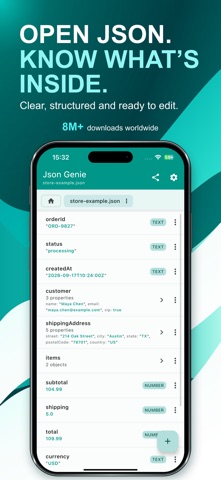
**Open JSON. Know what’s inside.**
Open, understand and edit JSON on your iPhone or iPad without working through a wall of raw text.
Whether someone sent you a JSON file or you regularly work with API responses and configuration files, Json Genie makes it easy to explore your data, find what matters and make changes.
No coding needed. No account required. Your JSON is processed on your device.
**OPEN YOUR JSON, YOUR WAY**
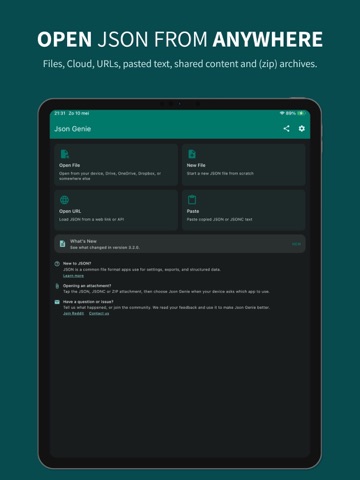
Open JSON and JSONC from:
• Files on your device
• Mail, shared files and other apps
• Cloud storage apps
• Pasted text
• Web links and API URLs
• Supported ZIP archives
**EXPLORE WITHOUT GETTING LOST**
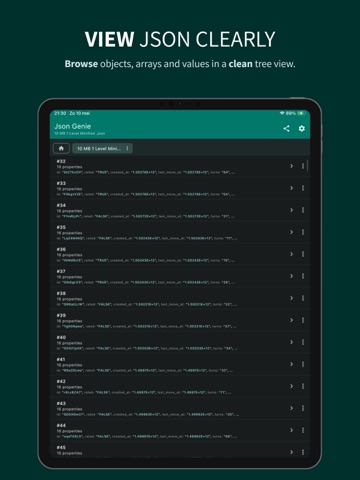
Browse your file in a clear, structured view. Open nested sections and lists (JSON objects and arrays) one level at a time, then easily find your way back.
Keep multiple files open in tabs and switch between them without reopening them.
**EDIT WITHOUT THE FUSS**
Change values in simple forms without manually managing commas, brackets or quotation marks.
• Edit text, numbers, true/false values and null
• Add, delete, clone, move and reorder entries
• Work with objects, arrays and individual values
• Copy and reuse data with paste history
**FIND IT. SKIP THE SCROLL.**
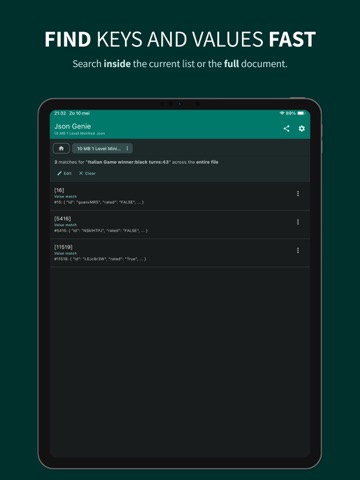
Search keys, values and paths across your file, then jump directly to matching results.
Need a more precise search? Use filters such as:
• id: 3
• game.id: 3
• city: "Austin"
**SEE EXACTLY WHAT CHANGED**
Compare two JSON files or open tabs. Inspect differences in objects, arrays and values with clear before-and-after details.
Check changes directly on your device without uploading your JSON to an online comparison tool.
**BRING YOUR FILES TOGETHER**
Merge JSON files into one new result while keeping your originals unchanged.
Review the merge summary, inspect the combined data, then save or share it.
**SAVE IT THE WAY YOU NEED IT**
Choose readable formatting for people or a compact file for sharing and other tools.
• Pretty-print and beautify JSON
• Minify JSON by removing unnecessary spacing
• Sort keys alphabetically
• View raw JSON text
• Save or share JSON as text or as a file
**YOUR JSON, PROCESSED LOCALLY**
Opening, viewing, editing, searching, comparing, merging and formatting happen on your device. Your JSON content is not uploaded to our servers for these operations.
No account required. You choose when to ex