
MeshBox Summary
MeshBox is a free, ad-supported iOS app in Art And Design by Rodrigo Prokopowicz. Released in May 2026 (4 months ago). Store last updated May 3, 2026
MeshBox SDKs Summary
App not yet scanned for SDKs.
0★
Ratings: 0
Screenshots



App Description
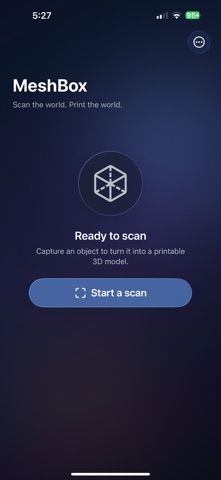
MeshBox turns any real-world object into a 3D model — ready for your slicer, your portfolio, or your next remix.
Point your iPhone Pro or iPad Pro at anything — a trinket, a prototype, a vintage miniature — and walk around it. MeshBox's LiDAR-powered capture pipeline reconstructs the geometry on-device and delivers a clean, printable USDZ mesh in minutes.
FEATURES
• LiDAR 3D scanning powered by Apple's Object Capture
• On-device mesh reconstruction — no servers, no uploads
• Interactive 3D preview: drag to rotate, pinch to zoom
• Organize scans into color-coded groups (albums)
• Drag-and-drop curation — build collections in seconds
• Export USDZ directly to any slicer, modeling app, or AR viewer
• Liquid Glass design, native to iOS 26
• Optimized for both iPhone Pro and iPad Pro
WHO IT'S FOR
• 3D printing enthusiasts capturing objects to remix, resize or reprint
• Tabletop hobbyists archiving minis, terrain and busts
• Product designers and prototypers iterating on physical mockups
• Researchers, museums and archivists preserving objects digitally
• Anyone who wants to hold a memory in three dimensions
HOW IT WORKS
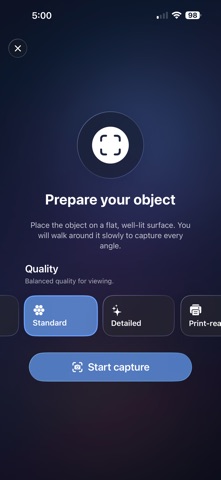
1. Tap "Scan object" and choose a quality preset
2. Walk slowly around your subject — on-screen guidance keeps you on track
3. The on-device photogrammetry engine builds a textured mesh
4. Preview, name, group, and export straight to your printer or slicer
REQUIREMENTS
MeshBox needs a device with LiDAR: iPhone 12 Pro or later (Pro / Pro Max models) or iPad Pro (2020 or later). A well-lit, flat surface gives the best scans.
PRIVACY
Your scans stay on your device. Nothing is uploaded, processed in the cloud, or shared without your explicit action. No accounts, no sign-ups.
Questions or feedback? rodrigoproko@gmail.com