TaskFlow AI: To Do & Widgets

TaskFlow AI: To Do & Widgets Summary
TaskFlow AI: To Do & Widgets is a free, ad-supported, with in-app purchases iOS app in Productivity by Phuong Chi Ngo. Released in Apr 2026 (5 months ago). Store last updated Aug 29, 2026
TaskFlow AI: To Do & Widgets SDKs Summary
App not yet scanned for SDKs.
0★
Ratings: 0
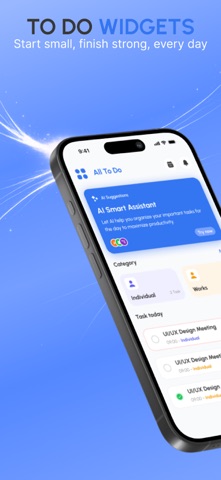
Screenshots


App Description
Stop managing tasks. Start achieving them.
Meet your AI-powered productivity system with widgets, focus tools, and a motivational pet that grows with you.
- Core Value
FocusPet is not just a to-do app.
It’s a complete productivity engine designed to help you:
* Plan smarter with AI
* Stay focused with real-time tools
* Build habits through gamification
- Key Features
- AI Assistant
* Smart task prioritization
* Auto daily planning
* Intelligent reminders
* Personalized focus schedule
- Beautiful Widgets
* Customizable widgets (colors, themes, backgrounds)
* Interactive widgets (iOS 17+)
* Multiple layouts for every workflow
- Focus Timer + Live Activities
* Deep work sessions (5–90 mins)
* Live Activity on Lock Screen & Dynamic Island
* Real-time progress tracking
- Pet Motivation System
* Complete tasks → level up your pet
* Build streaks and stay consistent
* Turn productivity into a game
- Advanced Insights (Premium)
* Completion rate tracking
* Productivity trends
* Weekly performance analytics
- Smart Task Management
* Recurring tasks
* Subtasks & priorities
* Calendar + timeline view
* Powerful filters & search
- Premium
Unlock full power:
* Unlimited tasks & lists
* Advanced analytics
* Streak system
* Full AI Assistant
- Trust & UX
* 100% privacy-focused
* Fast & lightweight
* Works offline
- Multi-language Support
13 languages supported
Download now and take control of your time.
Read more about Terms of Use: https://www.apple.com/legal/internet-services/itunes/dev/stdeula/