TicketPlea: Parking Appeal

TicketPlea: Parking Appeal Summary
TicketPlea: Parking Appeal is a free, with in-app purchases iOS app in Tools by ASOASIS TECH PRIVATE LIMITED. Released in Apr 2026 (5 months ago). Store last updated Apr 30, 2026
TicketPlea: Parking Appeal SDKs Summary
App not yet scanned for SDKs.
0★
Ratings: 0
Screenshots


App Description
Got a parking ticket you think is wrong? TicketPlea helps you organize the facts and walk into your hearing prepared.
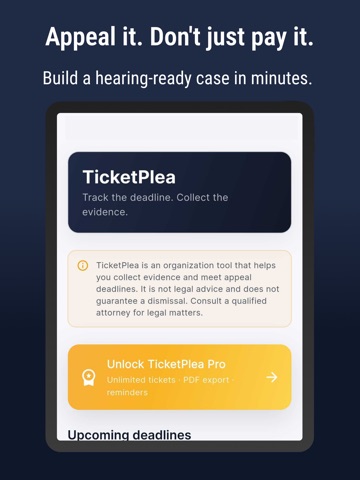
TicketPlea is a private, offline-first organization tool for drivers contesting parking citations. Capture the ticket, attach photo evidence, draft a neutral statement, and export one hearing-ready PDF — all on your phone.
WHAT TICKETPLEA DOES
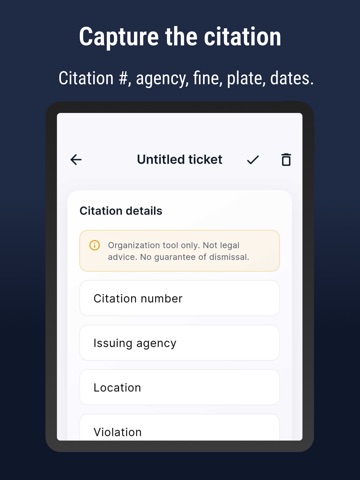
- Records every citation detail: number, agency, location, violation, fine, plate, officer ID, issue and due dates
- Builds a categorized photo evidence binder: signage, meter, vehicle, location, receipt, other — reorderable with captions
- Generates an AI evidence checklist tailored to your violation type, fully editable
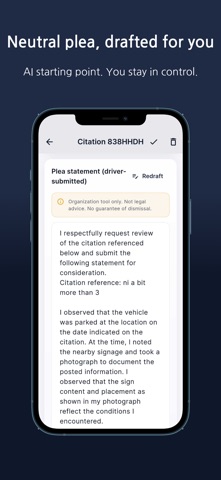
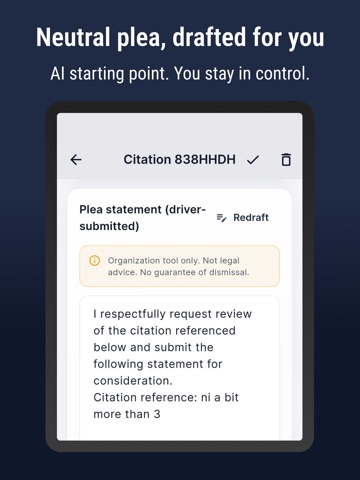
- Drafts an AI, observation-only plea statement you can edit before export
- Exports a single hearing-ready PDF with photos, checklist, statement, and a disclaimer footer on every page
- Tracks your appeal deadline with a local reminder at 9 AM the day before
HOW IT WORKS
1. Capture — Enter the citation details from your ticket.
2. Evidence — Add photos by category, reorder them, and write captions.
3. Statement — Review the AI-suggested checklist and neutral plea draft, then edit freely.
4. Export — Tap once to generate a PDF. Share it by email, print it, or save it to Files.
WHY DRIVERS USE IT
- Privacy first: EXIF and GPS metadata are stripped from every imported photo
- Offline-first: your tickets, photos, and PDFs stay on your device — you own the file
- Deadline-aware: never miss an appeal window with the day-before notification
- Honest tone: the plea draft is observation-only, written in neutral language a hearing officer expects
- Report any AI-generated output that looks wrong from inside the app
PREMIUM SUBSCRIPTION
Free tier includes 1 lifetime ticket. Premium unlocks unlimited tickets and unlimited PDF exports.
- Plans: Annual and Weekly. A free trial is offered if you are eligible.
- Pricing for your country and currency is shown inside the app before you confirm.
- Payment is charged to your Apple ID at confirmation of purchase.
- Subscriptions auto-renew at the same price and duration unless turned off at least 24 hours before the end of the current period.
- Your account is charged for renewal within 24 hours prior to the end of the current period.
- Manage or cancel anytime in Settings > [Your Apple ID] > Subscriptions, or via Settings > Manage Subs