Paper: 3D Drawing Studio

Paper: 3D Drawing Studio Summary
Paper: 3D Drawing Studio is a mobile iOS app in Art And Design by Imran Gul. Released in May 2026 (5 months ago). It has 1.00 ratings with a 5.00★ (excellent) average. Based on AppGoblin estimates, it reaches roughly 13 monthly active users . Store last updated Jun 17, 2026
Recent activity: -1 new ratings this week View trends →
Paper: 3D Drawing Studio SDKs Summary
App not yet scanned for SDKs.
5★
Ratings: 1.00
Screenshots

App Description
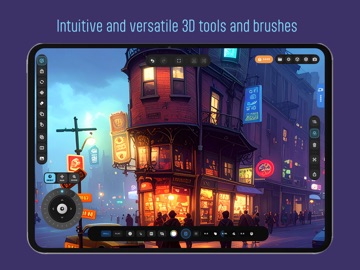
3D Paper Studio: The Most Tactile Modeling Experience on iPad.
Step into a digital atelier where the precision of CAD meets the soul of hand-crafted paper art. 3D Paper Studio is a first-of-its-kind creative suite designed specifically for iPad and Apple Pencil, allowing you to build complex 3D structures as easily as drawing on paper.
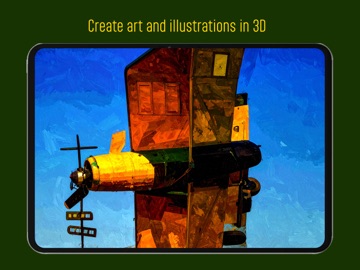
Draw freely in 3D space and use any 3D stroke as a canvas to draw over as well to enhance your ideas and creative expressions.
INFINITE SPATIAL FREEDOM: NO CANVAS REQUIRED Forget everything you know about 3D drawing. Unlike other apps that force you to create a canvas surface or plane before you draw, 3D Paper Studio gives you total spatial freedom. Start your stroke anywhere in 3D space and let it flow. Our engine handles the complex coordinate math so you can focus on the form. Draw in thin air, bridge gaps, and weave intricate 3D webs without ever feeling "stuck" to a 2D surface.
THE OMNI-JOYSTICK: CONTROL DEPTH WITH ONE THUMB Experience the revolutionary OmniJoystick—the heart of our interaction model. While your Apple Pencil handles the art, your other thumb controls the universe. The same joystick becomes an object controller when any object/s is selected.
No need to draw complicated canvases; Simply long press on the ground or any other stroke to set the precise drawing position and start painting in 3D space.
Real-time Depth Control: Glide through the Z-axis as you draw to create sweeping 3D curves.
Precision Snapping: Use the joystick to "Lock" to specific axes or snap to existing 3D "Magnets" for perfect alignment.
Tactile Feedback: Feel the "click" of the grid as you navigate through your 3D studio.
BEYOND DRAWING: TRUE 3D GEOMETRY Don't just sketch—extrude, revolve, and sweep. Use our advanced geometry engine to create ribbons, tubes, and complex lathes with a single stroke.
The Bridge Tool: Connect two existing points with a sinuous paper ribbon that respects the surface normals of both objects.
The Revolve Tool: Turn a single profile into a 3D vessel, bowl, or column in seconds.
Edge Perturbation: Choose between "Clean" or "Torn" edges to give your models a raw, hand-crafted aesthetic.
PHYSICAL MATERIALS & CINEMATIC LIGHTING Watch your creations come to life with our high-end material library. Choose from Smooth Bristol, Cold-Press Watercolor, Crumpled Foil, Corrugated Cardboard, and more. Use Cinematic