PixVerse Lite

PixVerse Lite Summary
PixVerse Lite is a free, ad-supported, with in-app purchases iOS app in Photo And Video by AIVORA PTE. LTD.. Released in May 2026 (5 months ago). It has 1.9K ratings with a 4.29★ (good) average. Based on AppGoblin estimates, it reaches roughly 25K monthly active users and generates around $<10K monthly revenue (78% IAP / 22% ads). Store last updated Sep 21, 2026
Recent activity: 423 new ratings this week View trends →
SDK intelligence: AppGoblin detected 5 development tools(e.g. Google), 2 analytics: product, 1 ad networks,and 1 analytics: attribution integrated into PixVerse Lite. View full SDK list →
PixVerse Lite SDKs Summary
PixVerse Lite was last scanned for SDKs on 2026-09-27. Below is the overview of third-party companies detected in the app. The full list of SDKs, permissions and unknowns is available here.
 Google
 Flutter
 nanopb
 SDWebImage
 Facebook
 AppsFlyer
 Firebase
 SensorsData
4.29★
Ratings: 1.9K
Screenshots


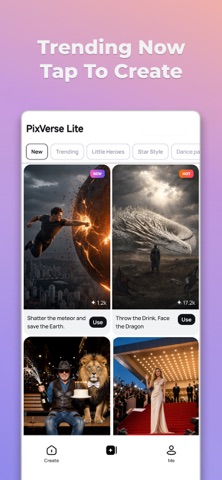
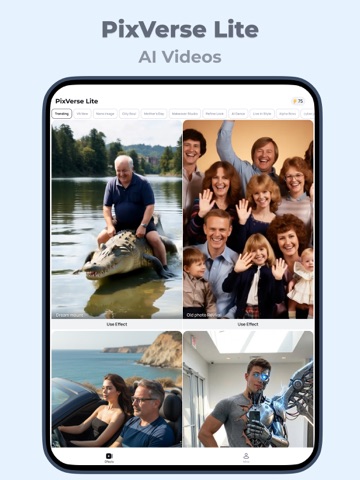
App Description
PixVerse is an all-in-one AI creation app powered by PixVerse V6, with access to a range of leading external models to support more creative needs.
Create AI images and videos from text or photos, explore trending effects, make talking avatars, enhance visuals, generate music videos, add sound effects, and more.
AI Video and Image Creation Tools
• Text-to-Image: Create high-quality AI images from text prompts, including characters, scenes, styles, products, and creative concepts.
• Text-to-Video: Turn prompts into cinematic videos in different styles with PixVerse V6 and other advanced AI models.
• Image-to-Video: Animate photos and transform still images into dynamic videos.
• AI Templates: Start fast with trending templates for dance, transformations, product promos, social media videos, and more.
• Modify Video: Edit selected parts of a video using references such as images, clips, or modes.
• Upscale: Enhance images and videos to clearer, higher-resolution quality, with video upscaling support up to 4K Ultra HD.
• Motion Control: Upload a character image and a reference motion video to guide character movement.
• Transition: Connect the first and last frames of a video with a smooth AI-generated transition.
• Endless Video Extension: Continue your video by describing the next scene.
• Reference: Upload multiple reference images to guide video generation for characters, objects, scenes, and styles.
AI Audio Tool
• Lip-Sync: Upload a character, type dialogue or upload an audio file, and create a talking AI avatar with natural lip-sync.
AI Image Editing Tools
• Image Edit: Upgrade your photos with powerful AI editing. Upscale images for ultra-clear quality, erase unwanted areas with a brush, remove passersby or backgrounds in one tap, replace backgrounds instantly, and enhance colors and lighting for a more polished, professional look.
Trending AI Video Effects & Templates
• AI Dance: Create AI dance videos with trending dance styles, viral moves, and classic choreography.
• Transformation Series: Turn photos into dramatic new scenes and identities, including muscle looks, mech suits, red carpet moments, and luxury car shots.
• Beauty and Glamour Series: Create beauty, fashion, and portrait looks with runway styles, angel wings, cinematic rain or mist, and black-and-white portraits.
• Miniature World Series: Turn photos i