CalendarSpeak: Voice Planner

CalendarSpeak: Voice Planner Summary
CalendarSpeak: Voice Planner is a free, with in-app purchases iOS app in Productivity by Abdullah YILMAZ. Released in May 2026 (2 months ago). It has 6.00 ratings with a 4.32★ (good) average. Based on AppGoblin estimates, it reaches roughly 73 monthly active users and generates around $<10K monthly revenue (100% IAP / 0% ads). Store last updated Jun 13, 2026
Recent activity: 1.00 new ratings this week View trends →
CalendarSpeak: Voice Planner SDKs Summary
App not yet scanned for SDKs.
4.32★
Ratings: 6.00
Screenshots


App Description
CalendarSpeak turns your voice into organized events, tasks, and reminders. No typing, no tapping through date pickers. Say what you need and watch it land on your calendar in seconds.
HOW IT WORKS
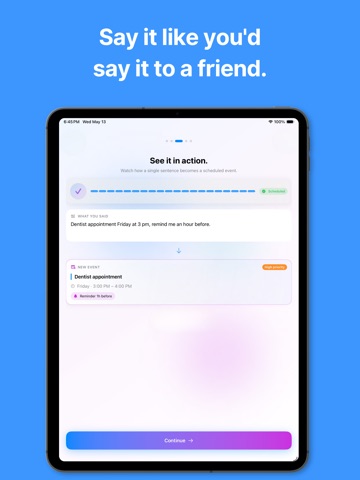
Tap the mic, speak naturally, done. The AI assistant understands context, dates, times, and recurring patterns — even when you ramble. Say things like:
• "Team standup every weekday at 9 am"
• "Move tomorrow's dentist to Friday at 3"
• "Cancel next Monday's gym session"
• "Add a birthday dinner Saturday at 7 pm, high priority"
CalendarSpeak proposes the change, you confirm with one tap — or turn on auto-accept and let it flow hands-free.
FEATURES
◆ Voice-First Scheduling
Record up to 60 seconds of natural speech. The AI parses dates, durations, locations, recurrence rules, and priority levels automatically.
◆ Smart Calendar Views
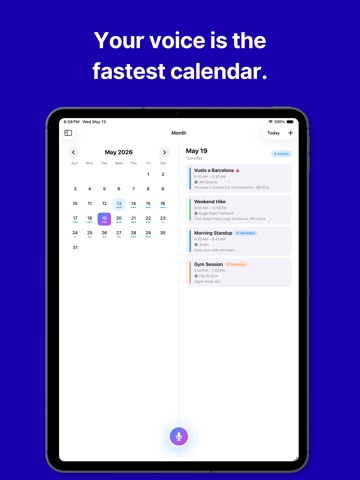
Switch between Day, Week, Month, Year, and Agenda views. See your timeline at a glance or zoom into a single hour.
◆ Recurring Events Made Easy
Daily, weekdays, weekends, weekly, biweekly, monthly — set it once by voice. Skip a single occurrence or end the series whenever you want.
◆ Priority-Based Reminders
Four levels: Low, Medium, High, Urgent. Each gets its own notification timing so important events break through and minor ones stay quiet.
◆ Two-Way Apple Calendar Sync
Events flow both directions. Anything you create here appears in Apple Calendar, and events from iCloud, Google, Exchange, or any account already on your iPhone sync back automatically. (Pro)
◆ Color Tags & Organization
Eight color options to visually group work, personal, health, and social events at a glance.
◆ Siri & Shortcuts Support
Trigger recordings or send text commands from Siri, the Shortcuts app, or your Home Screen widget without opening the app.
◆ Widget
See upcoming events right on your Home Screen. Tap to jump straight into CalendarSpeak.
◆ Multi-Language
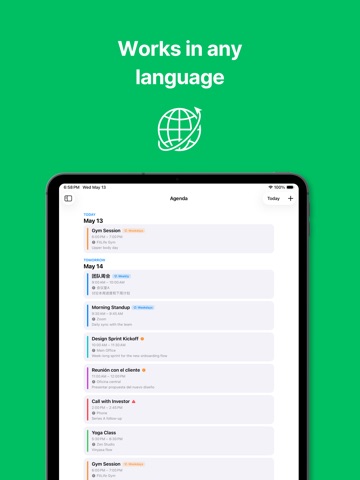
Speak in your language — the assistant detects it automatically and responds accordingly. Interface available in multiple languages.
CALENDARSPEAK PREMIUM
CalendarSpeak is free to use with a daily voice input allowance and full access to calendar views, reminders, widgets, and Siri shortcuts. Premium unlocks unlimited daily voice inputs and two-way Apple Calendar sync.
Subscriptions renew automatically unless auto-renew is turned off at least 24 hours befo