Clover Painting

Clover Painting Summary
Clover Painting is a free, with in-app purchases iOS app in Tools by 献慧 陈. Released in May 2026 (4 months ago). Store last updated Jun 15, 2026
Clover Painting SDKs Summary
App not yet scanned for SDKs.
0★
Ratings: 0
Screenshots


App Description
Clover Painting is a mobile drawing app built for iPhone and iPad. It is designed for illustration, sketching, comic drafts, doodles, idea capture, and everyday digital art.
The app uses a bright Fluent-style interface with clear controls, colorful buttons, and rich icons, so you can move from idea to canvas quickly.
Key Features:
Flexible Canvas Presets
Start with common canvas sizes or create a custom canvas for sketches, illustrations, concepts, and high-resolution drafts.
Full-Screen Drawing
Focus on your artwork with an immersive canvas experience that reduces distractions while drawing.
Brushes and Colors
Choose from multiple brush presets, adjust brush parameters, and pick colors for different drawing styles.
Resource and Preset Management
Manage brush resources, custom presets, and reusable creative settings to keep your workflow organized.
Artwork Export
Use common export format options to save, share, or continue working with your artwork.
iCloud Drafts
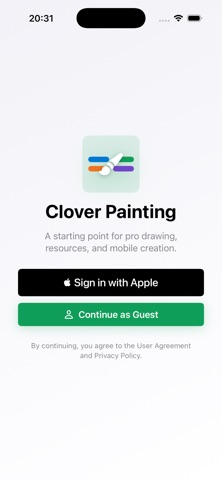
Users signed in with Apple can use iCloud draft features to back up and restore artwork. Guest mode is available for quick local drawing.
Bilingual Interface
Switch between Chinese and English to match your preferred language.
Appearance Modes
Choose System, Light, or Dark mode for a comfortable drawing experience in different environments.
Great For:
Illustrators
Comic and storyboard creators
iPad drawing users
Creative note takers
Design and art learners
Anyone who wants a colorful mobile sketchbook
Clover Painting helps make digital drawing lighter, faster, and more enjoyable. Open a canvas, choose a brush, and start creating.