Xml Genie: XML Viewer & Editor

Xml Genie: XML Viewer & Editor Summary
Xml Genie: XML Viewer & Editor is a free, ad-supported, with in-app purchases iOS app in Developer Tools by Tommy Uytterhaegen. Released in Jun 2026 (3 months ago). Store last updated Sep 19, 2026
Xml Genie: XML Viewer & Editor SDKs Summary
App not yet scanned for SDKs.
0★
Ratings: 0
Screenshots
App Description
Open XML and see it clearly.
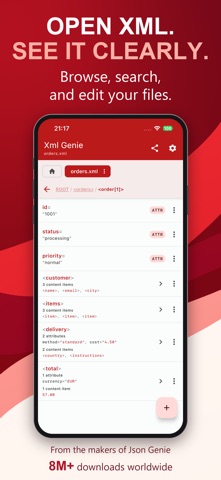
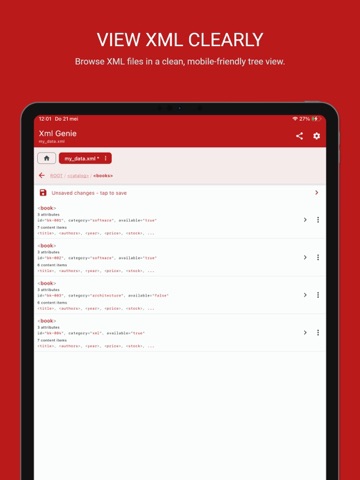
Xml Genie helps you open, read and edit XML files on iPhone and iPad. Browse your file in a clear, organized view, change values without writing XML code, and find what you need with search.
From a quick look at an attachment to detailed edits across multiple files, Xml Genie makes XML easier to work with.
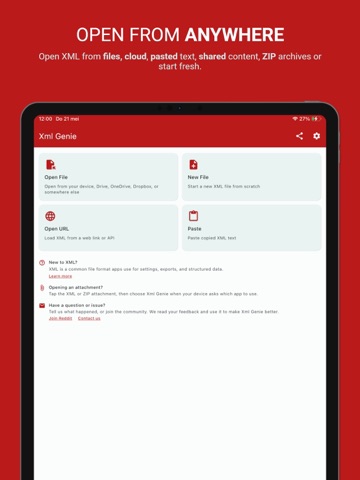
OPEN XML YOUR WAY
• Open files from your device
• Load XML from a web link
• Paste copied XML text
• Open content shared from other apps
• Browse ZIP archives containing XML
• Create a new XML file from scratch
BROWSE WITHOUT GETTING LOST
Explore tags, attributes and text in a readable, structured view. Follow the navigation path to see where you are and move back through your document.
Prefer to see the XML itself? Switch to View as Text.
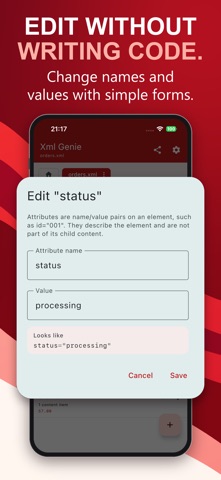
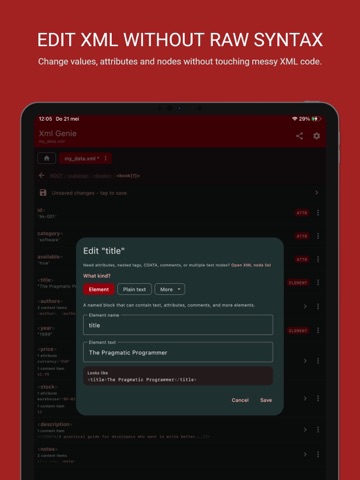
EDIT WITHOUT WRITING CODE
Change names and values using simple forms. Add, duplicate, delete or move parts of your document without manually fixing tags and brackets.
• Edit text, attributes and comments
• Add new elements and content
• Copy and paste parts of your XML
• Reuse copied content with paste history
• Undo and redo changes
• Review your change history and return to an earlier state
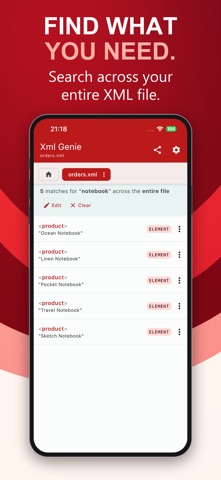
SEARCH AND SWITCH BETWEEN FILES
Search across your document and jump to matching content. Keep multiple XML files open in tabs and switch between them as you work.
FORMAT, SAVE AND SHARE
Make XML easier to read with pretty-print formatting, or choose compact output with minify.
Save your changes, save a separate copy, or share your XML as a file or text.
ADVANCED OPTIONS WHEN YOU NEED THEM
Work with elements, attributes, comments, CDATA, processing instructions and internal DTD entity references.
Control document settings such as XML version, encoding, standalone value and byte order mark. Unsupported external DTD or entity features trigger safety warnings instead of being silently ignored.
YOUR XML IS PROCESSED LOCALLY
No account required. Viewing, searching, editing and formatting happen on your device. Your XML files are not uploaded to our servers for these operations.
CHOOSE YOUR LOOK
Use light mode, dark mode or your system theme, and choose from the available color presets.
FREE TO USE. NO SUBSCRIPTION.
Get started for free. A one-time Premium upgrade removes ads and unlocks additional features.
Open your first file and discover a clearer way to work