Sports Card Value Scanner: SC1

Sports Card Value Scanner: SC1 Summary
Sports Card Value Scanner: SC1 is a free, with in-app purchases iOS app in Books And Reference by FAMO Connect LLC. Released in Jun 2026 (3 months ago). It has 2.00 ratings with a 3.00★ (mixed) average. Based on AppGoblin estimates, it reaches roughly 19 monthly active users and generates around $<10K monthly revenue (100% IAP / 0% ads). Store last updated Jun 3, 2026
Sports Card Value Scanner: SC1 SDKs Summary
App not yet scanned for SDKs.
3★
Ratings: 2.00
Screenshots

App Description
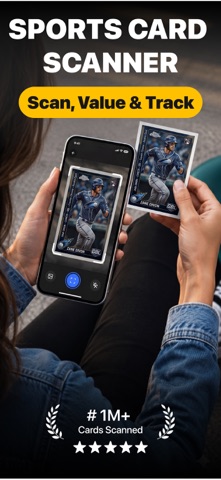
Scan it. Value it. Track it. SC1 is your ultimate sports card scanner and tracker built to help you manage, understand, and grow your collection with ease.
Whether you're a passionate collector, investor, or just getting started, SC1 makes everything effortless, and actually fun.
Key Features:
→ Sports Card Scanner: Instantly scan any sports card to identify it, view details, and add to collection.
→ Detailed Card Insights: Get real-time market values, historical price charts, and deeper insights.
→ Search Any Card: Quickly find any sports card with a fast, accurate, and easy-to-use search.
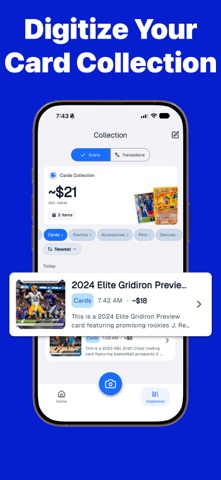
→ Collection Tracker: Track cards you own, cards you've sold, and keep your collection organized.
→ Wishlist Tracker: Save the cards you want, build your wishlist, and monitor their value over time.
→ Portfolio Value: See your total collection value at a glance and track performance over time.
→ AI Grading: Scan your card and get an AI-based grading to understand its potential value.
→ AI Chat Assistant: Ask questions or learn about cards with your personal AI assistant.
→ Scan History: Access and revisit all your previously scanned cards anytime.
Download SC1 and start tracking your sports cards collection, instantly.
About PRO Subscription:
The free version of SC1 offers limited access. Upgrade to PRO to unlock all features and get the full experience.
This app requires a subscription to use. Subscriptions are managed by users and you can cancel at any time. Your subscription will automatically renew at the end of each term unless canceled at least 24 hours before the end of the current period. You can cancel your subscription at any time using the account settings on your phone. Manage your subscription and turn off auto-renewal in your account settings after purchase if you would not like to get an auto renewing subscription.
Privacy Policy: https://famoconnect.com/privacy-policy/
Terms of Use: https://www.apple.com/legal/internet-services/itunes/dev/stdeula/