Unzip It Zip 7Z File Extractor

Unzip It Zip 7Z File Extractor Summary
Unzip It Zip 7Z File Extractor is a free iOS app in Tools by Andrew Lee Ventures LLC. Released in Jun 2026 (4 months ago). It has 11 ratings with a 4.62★ (excellent) average. Based on AppGoblin estimates, it reaches roughly 116 monthly active users . Store last updated Jul 25, 2026
Recent activity: 1.00 new ratings this week View trends →
Unzip It Zip 7Z File Extractor SDKs Summary
App not yet scanned for SDKs.
4.62★
Ratings: 11
Screenshots



App Description
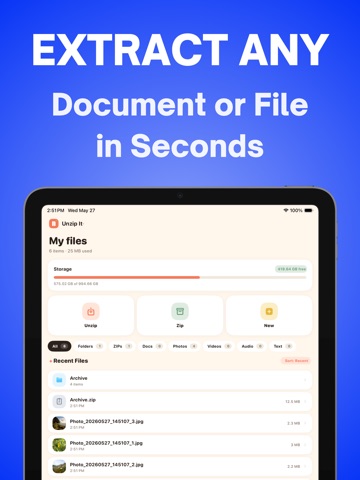
Unzip It is the fastest way to open and extract compressed files on your iPhone and iPad. Unzip ZIP files, extract RAR archives, decompress 7Z, TAR, GZIP, and 20+ other formats in seconds. No ads. No subscription traps. Just tap your file and go.
Here's what you can do with Unzip It:
● Extract ZIP, RAR, 7Z, TAR, GZIP, BZIP2, LZH, ISO, CAB, JAR, ZIPX, XZ, LZMA, and more
● Create compressed ZIP and 7Z files from photos, videos, and documents
● Open and extract password-protected and encrypted archives
● Handle multi-part split archives (.001, .002, .003...)
● Batch extract or compress multiple files at once
● Preview documents, images, and files before extracting
● Import files from Safari, Mail, the Files app, or any other app on your iPhone
————————————————————
◆ The easiest way to unzip files on iPhone ◆
Here's how to extract files with Unzip It:
Open a ZIP, RAR, or 7Z file from Safari, Mail, the Files app, or any other app
Unzip It will instantly extract and decompress your archive
Preview, save, or share your extracted files anywhere on your device
That's it. No forced sign-ups. No full-screen ads before you can see your files. Unzip It opens your file and gets out of your way.
————————————————————
◆ Create Compressed Files ◆
Need to send multiple files at once? Unzip It makes it easy to compress photos, videos, documents, and folders into a single ZIP or 7Z file. Add password protection to keep your compressed files secure before sharing.
————————————————————
◆ Built-In File Manager ◆
● Browse and organize your extracted files
● Move, copy, rename, and delete files and folders
● Preview documents, photos, and images without leaving the app
● Share files via AirDrop, iMessage, email, or any other app
● Import files from iCloud Drive and the Files app
————————————————————
◆ Why Unzip It? ◆
Most unzip apps on the App Store are loaded with intrusive ads, force you into weekly subscriptions before you can even open a file, and are bloated with features you don't need.
Unzip It is different. It's lightweight, fast, and built to do one thing extremely well: open your compressed files without wasting your time.
● No ads. Ever.
● No weekly subscripti