V2 VPN - V3Ray Proxy

V2 VPN - V3Ray Proxy Summary
V2 VPN - V3Ray Proxy is a free, with in-app purchases iOS app in Productivity by Skyline Quantum Data Systems Limited. Released in Jun 2026 (4 months ago). It has 27 ratings with a 4.43★ (good) average. Based on AppGoblin estimates, it reaches roughly 240 monthly active users and generates around $<10K monthly revenue (100% IAP / 0% ads). Store last updated Jun 24, 2026
Recent activity: 2.00 new ratings this week View trends →
V2 VPN - V3Ray Proxy SDKs Summary
App not yet scanned for SDKs.
4.43★
Ratings: 27
Screenshots

App Description
V2 VPN is a fast, friendly VPN for iPhone—built for people who want protection without a settings maze. One tap, and your traffic runs through a secure tunnel. Perfect for cafés, airports, hotels, and travel.
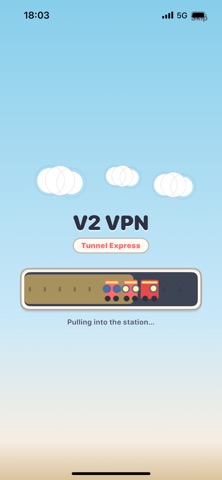
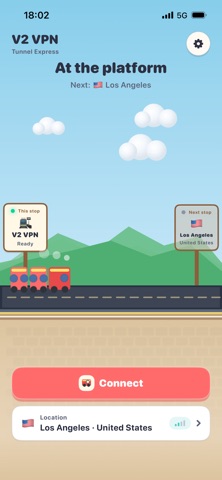
We kept the experience simple (with a fun railway-inspired home screen): your route, connection status, and controls are right up front. No account. No signup forms.
What you get
• One-tap connect — go online protected in seconds
• Pick a location — choose the region that fits your needs
• Auto route — let “express line” pick a speedy node when you’re in a hurry
• Safer on public Wi‑Fi and mobile data — peace of mind away from home
• Native iOS VPN — you’ll approve the VPN profile on first connect
• Multiple languages — English, Russian, French, German, Spanish, Japanese
• No account required — install and go
Who it’s for
Anyone who wants an everyday VPN: check maps, messages, or email on unfamiliar networks without digging through technical menus.
Privacy
• No registration
• We don’t keep a browsing history
• We don’t inspect the content of your traffic
• Your preferences stay on your device
Getting started
1. Open the app and accept the privacy notice
2. Choose a location or Auto route
3. Tap Connect and allow the VPN profile in iOS
4. You’re set—use the internet as usual
Having trouble? See “VPN & System Settings” inside the app.
Good to know
Speed and reliability depend on your carrier and network. Please use the service in line with local laws. The app is provided “as is.”
Terms of Use:
https://www.apple.com/legal/internet-services/itunes/dev/stdeula/
Privacy Policy:
https://privacylane.xyz/p.html