Device Finder App

Device Finder App Summary
Device Finder App is a free, with in-app purchases iOS app in Tools by Essa Studio. Released in Jun 2026 (4 months ago). Store last updated Jun 6, 2026
Device Finder App SDKs Summary
App not yet scanned for SDKs.
0★
Ratings: 0
Screenshots
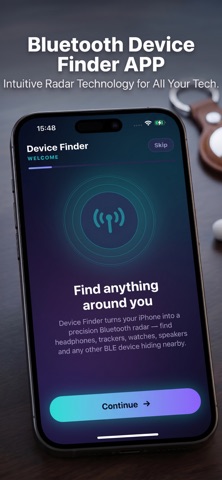


App Description
Device Finder — the smart way to track down your lost Bluetooth gear in seconds.
Misplaced your earbuds, headphones, speaker, smartwatch or a Bluetooth tag? Device Finder turns your iPhone into a powerful radar that scans the air around you, shows every nearby device and guides you straight to it — step by step.
LIVE PROXIMITY TRACKING
Pick a device and watch the live distance update in real time. The closer you get, the stronger the signal — with sound and haptic feedback that speeds up as you approach. "Hot or cold" has never been this easy.
TREASURE-MAP MODE
Our unique treasure-map view uses motion and signal data to draw a heat map of where your device most likely is. Just walk around and let the map point you to the spot.
SEE EVERYTHING NEARBY
• Instantly discover all Bluetooth devices around you
• Clear signal strength and estimated distance for each one
• Smart filters to find exactly what you're looking for
• Save your favorite devices for one-tap tracking later
WHY YOU'LL LOVE IT
• Beautiful, modern dark interface
• Fast, accurate, real-time scanning
• Sound + haptics guidance — find things without even looking at the screen
• Works great for earbuds, AirPods, speakers, smartwatches, trackers, headphones and more
Whether it's slipped under the couch, buried in a bag or left in another room, Device Finder helps you get it back fast.
DEVICE FINDER PRO
Unlock the full experience with a subscription:
• Real-time distance to any device
• Proximity tracking with sound & haptics
• Treasure-map locating mode
• Unlimited saved devices
Choose a weekly or annual plan — pricing is shown right in the app before you confirm.
Subscription details:
• Payment is charged to your Apple ID at confirmation of purchase.
• Your subscription automatically renews unless it is canceled at least 24 hours before the end of the current period.
• Your account is charged for renewal within 24 hours prior to the end of the current period.
• You can manage or cancel your subscription anytime in your device Settings → Apple ID → Subscriptions. Cancellation takes effect at the end of the current billing period.
• Any unused portion of a free trial (if offered) is forfeited when you purchase a subscription.
Privacy Policy: https://catty.me/privacy-policy.html
Terms of Use: https://catty.me/terms-of-use.html
Find what matters.