Receipt Vault: Private Scanner

Receipt Vault: Private Scanner Summary
Receipt Vault: Private Scanner is a free, with in-app purchases iOS app in Finance by 封义 朱. Released in Jun 2026 (3 months ago). Store last updated Aug 7, 2026
Receipt Vault: Private Scanner SDKs Summary
App not yet scanned for SDKs.
0★
Ratings: 0
Screenshots



App Description
Scan receipts. Find any expense in seconds. Keep your financial records private.
Receipt Vault is an offline receipt scanner and expense organizer for freelancers, small business owners, and anyone preparing reimbursement or tax records.
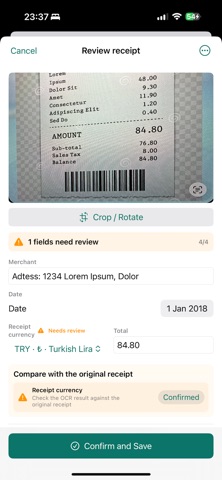
Capture a receipt with your camera or import an existing image. On-device OCR extracts the merchant, date, amount, tax, and other receipt details. Review the results, correct anything when needed, and organize each expense by category or project.
When you need a receipt again, search your records instead of scrolling through photos or digging through paper.
WHY RECEIPT VAULT
PRIVATE BY DESIGN
Your receipts and OCR data stay on your device. No account, bank connection, or cloud upload is required.
FAST RECEIPT CAPTURE
Scan paper receipts or import receipt and invoice images from your photo library.
ON-DEVICE OCR
Extract receipt information without sending the image to an external OCR service.
SEARCH AND ORGANIZE
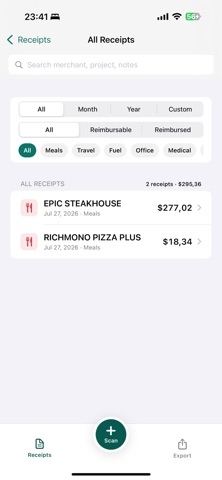
Find receipts by merchant, amount, date, category, project, or notes.
READY FOR TAX AND REIMBURSEMENT
Create expense reports and export your records as PDF, CSV, or ZIP files.
SECURE BACKUP
Create encrypted backups and restore your receipt archive when needed.
ADDITIONAL FEATURES
- Receipt field review and correction
- Spending summaries and charts
- Face ID and Touch ID privacy lock
- Multi-language support
- No account required
- No bank connection required
Your receipts remain on your device unless you explicitly choose to export or back them up.