Japan Visa Photo

Japan Visa Photo Summary
Japan Visa Photo is a free, with in-app purchases iOS app in Photo And Video by Tsuyoshi Niisato. Released in Jun 2026 (4 months ago). Store last updated Jun 25, 2026
Japan Visa Photo SDKs Summary
App not yet scanned for SDKs.
0★
Ratings: 0
Screenshots

App Description
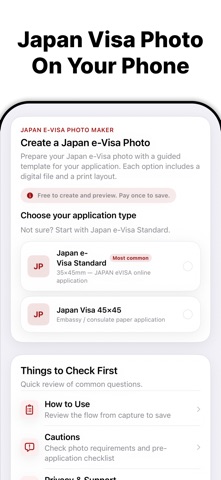
Create a Japan visa photo on your iPhone for JAPAN eVISA online applications or embassy and consulate paper submissions.
Japan e-Visa Photo helps you prepare 35 × 45 mm and 45 × 45 mm visa photo files with guided framing, white background output, JPEG export, and optional print layouts.
Taking the picture is often the easy part. The harder part is preparing a photo with the right face position, head size, spacing, background, file format, and preview before exporting. This app is built to make that final preparation easier to understand.
Take a new photo or choose one from your library, then use the on-screen guide to adjust face position, head size, shoulders, and spacing. You can preview the result before saving and export only when you are ready.
What you can create
Japan e-Visa Digital Photo
• 35 × 45 mm JPEG for JAPAN eVISA online application (413 × 531 px)
• 45 × 45 mm JPEG for embassy or consulate paper application (531 × 531 px)
• Guided framing based on published visa photo guidance
• Solid white background only
• Preview before saving
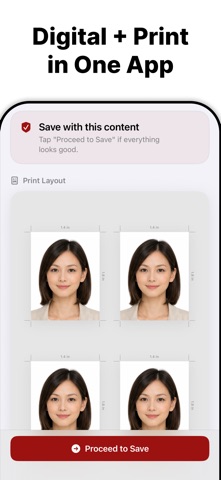
Japan Visa Print Photo Layout
• 4 × 6 inch print sheet for 35 × 45 mm photos, up to 6 photos per sheet
• 4 × 6 inch print sheet for 45 × 45 mm photos, up to 4 photos per sheet
• L-size print sheet for both formats, up to 4 photos per sheet
• Useful for backup prints at home or at a photo kiosk
Supported presets
• Japan e-Visa: 35 × 45 mm for JAPAN eVISA online upload
• Japan Visa 45×45: 45 × 45 mm for embassy or consulate paper application
Why it helps
• Preview before saving
• One-time purchase only when you export
• No account required
• No subscription
• Photos stay on your device
• No upload to external servers
• Final JPEG output strips EXIF metadata
Background adjustment changes the plain background color only. It does not retouch your face, facial features, skin, eyes, or head shape.
This app focuses on photo file preparation: framing, sizing, preview, JPEG export, and optional print layout. It does not submit visa forms, provide appointment services, store your photo online, or guarantee application results.
Important
Japan visa photo requirements and submission methods may vary depending on the embassy, consulate, or application route. Use this app only when your process asks you to upload, print, or provide a photo file.
This app is an independent