QR Code Barcode Scanner: QRCat

QR Code Barcode Scanner: QRCat Summary
QR Code Barcode Scanner: QRCat is a free iOS app in Tools by Andrew Lee Ventures LLC. Released in Jun 2026 (3 months ago). Store last updated Jun 16, 2026
QR Code Barcode Scanner: QRCat SDKs Summary
App not yet scanned for SDKs.
0★
Ratings: 0
Screenshots

App Description
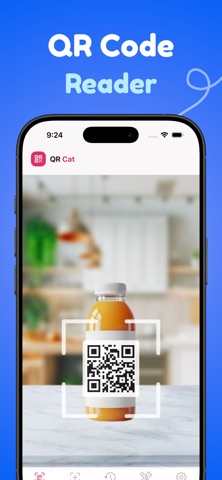
Everything you need to scan and create QR codes and barcodes, all in one app. Fast scanning, custom code creation, full history, and zero ads.
QRCat has everything you need to scan, create, and manage QR codes and barcodes all in one place.
Here's what you can do with QRCat:
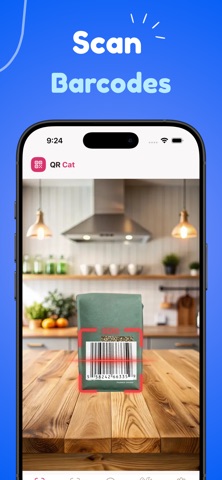
● Scan any QR code or barcode instantly with your camera
● Create custom QR codes for links, text, contacts, email, SMS, and more
● Scan QR codes and barcodes from photos in your camera roll
● View your full scan history with search and folders
● Share, copy, or save any scan result with one tap
● Use the built-in flashlight for scanning in the dark
● Auto-detect URLs, contacts, calendar events, and more
● Generate QR codes for business cards, social profiles, and locations
● Export and share your created QR codes anywhere
————————————————————
◆ How to scan a QR code with QRCat ◆
1. Open QRCat and point your camera at any QR code or barcode
2. QRCat instantly reads the code and shows you the result
3. Tap to open the link, save the contact, copy the text, or share it
That's it. No buttons to press, no waiting.
————————————————————
◆ How to create a QR code with QRCat ◆
1. Tap the Create tab and choose your code type (URL, text, contact, email, SMS, calendar, location)
2. Enter your information
3. Your custom QR code is generated instantly
4. Save it to your camera roll or share it directly
————————————————————
◆ Supported formats ◆
QR Code, EAN-13, EAN-8, UPC-A, UPC-E, Code 128, Code 39, Code 93, PDF417, Aztec, Data Matrix, ITF, and more.
————————————————————
With QRCat Premium, you get access to the full app:
● NO LIMITS
● NO ADS
————————————————————
Connect with us on Instagram and Twitter:
@AndrewLeeReal
Have any questions or recommendations? Feel free to reach out to me at:
Andrew@AndrewLee.Ventures
Contact: https://andrewlee.ventures/contact
Privacy Policy: https://andrewlee.ventures/privacy
Terms Of Use: https://andrewlee.ventures/terms-of-use