Hairstyle Try On AI Photo

Hairstyle Try On AI Photo Summary
Hairstyle Try On AI Photo is a free, with in-app purchases iOS app in Photo And Video by HALIME USLU. Released in Jun 2026 (4 months ago). It has 2.00 ratings with a 5.00★ (excellent) average. Based on AppGoblin estimates, it reaches roughly 3.00 monthly active users and generates around $<10K monthly revenue (100% IAP / 0% ads). Store last updated Aug 9, 2026
Hairstyle Try On AI Photo SDKs Summary
App not yet scanned for SDKs.
5★
Ratings: 2.00
Screenshots
App Description
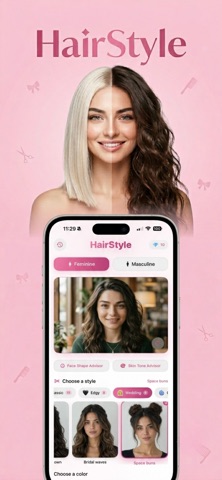
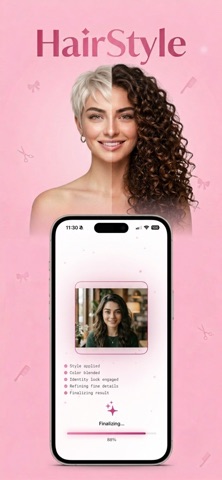
Try a new haircut, hair color, or full hairstyle preview before you visit the salon. The app turns your selfie into realistic AI hair ideas for women and men.
Explore 136+ hairstyle looks, from bob, bangs, pixie cuts, curls, braids, long layers, ponytails and event styles to buzz cuts, fades, quiffs and longer men's looks. Use the AI hair color changer to preview natural tones, bold shades, ombre and highlights.
The Face Shape Advisor suggests styles for oval, round, square, heart and oblong faces. The Skin Tone Advisor helps you discover colors that match warm, cool or neutral undertones.
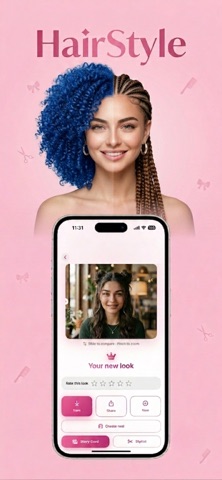
Create custom hair ideas with an AI prompt, compare before and after, save results, build story cards, make reels and prepare clear references for your stylist.
Use the app like a pocket AI hair studio: start with a clear selfie, choose the direction you want to explore, and see how cut, length, volume and color change your overall look while keeping your face recognizable. It is built for the moment before a real hair decision, when you want more than a guess and need a visual reference you can compare, save and show.
The style library covers everyday ideas and bold transformations: short, medium and long hair, soft layers, bangs, bobs, pixie cuts, curls, braids, polished looks, wedding-ready styles, fades, buzz cuts, fuller men’s looks, business cuts and social-ready makeovers. The color tool includes 21 hair tone directions, from brown, black, blonde and copper to red, silver, rose, violet and blue. Test single color, ombre and highlight modes separately so the result feels closer to the look you have in mind.
The app also helps with decision flow. Use before/after comparison to judge the change, save several results instead of relying on one image, try multiple photos with batch mode, then create story cards, reels or a clean stylist-ready reference. If the library does not match your exact idea, describe it with a custom AI prompt, such as soft long layers with warm brunette color, icy blonde bob with curtain bangs, or a modern fade with natural texture.
AI previews are made for inspiration and may vary from real salon results.
Terms of Use: https://www.apple.com/legal/internet-services/itunes/dev/stdeula/