PDF Editor — Sign & Scanner

PDF Editor — Sign & Scanner Summary
PDF Editor — Sign & Scanner is a free, ad-supported iOS app in Tools by Eneko Careaga. Released in Jun 2026 (4 months ago). Store last updated Jun 13, 2026
PDF Editor — Sign & Scanner SDKs Summary
App not yet scanned for SDKs.
0★
Ratings: 0
Screenshots


App Description
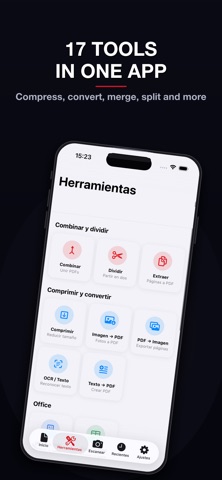
Edit, sign and convert your PDFs without limits or subscriptions. PDF Editor is the most complete tool for managing documents on iPhone and iPad — with 17 professional tools, document scanner and digital signature. All free, all on your device.
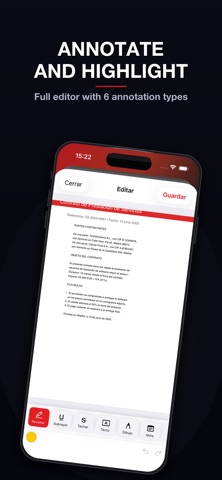
-> ANNOTATION EDITOR
Highlight text in 5 colors, underline, strikethrough and add sticky notes. Draw freehand with variable stroke width, insert stamps (APPROVED, REJECTED) and geometric shapes. Unlimited undo and redo.
-> DIGITAL SIGNATURE
Draw your signature with your finger and save up to 5 reusable signatures. Insert your signature anywhere in the document with a tap. Sign contracts from your phone.
-> DOCUMENT SCANNER
Turn paper into PDF instantly using your camera. Automatic edge detection and perspective correction included.
· 17 PDF TOOLS
MERGE & SPLIT
— Merge PDFs: combine multiple documents into one
— Split PDF: cut the document in two
— Extract pages: select and export specific pages
COMPRESS & CONVERT
— Compress PDF at 3 levels: high quality, balanced and maximum compression
— Images to PDF: convert JPG, PNG and HEIC photos to PDF
— PDF to images: export each page as an image
— OCR: recognize and extract text from scanned documents
— Text to PDF: create documents from scratch
OFFICE CONVERSION
— Word to PDF: convert DOC and RTF files
— Excel to PDF: convert CSV and XLSX files
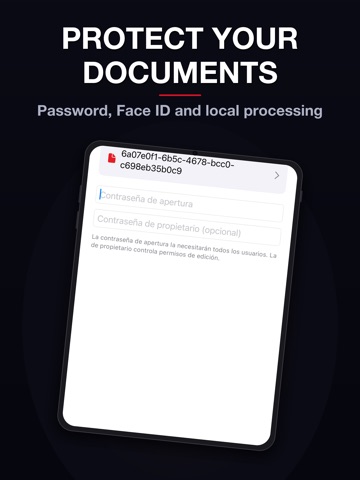
SECURITY
— Password-protect PDF
— Unlock PDF: remove password if you know it
ADVANCED EDITING
— Watermark: text with custom opacity, color, rotation and size
— Automatic page numbering
— Page Manager: reorder, rotate, delete and insert blank pages
— Rotate entire document
-> TOTAL PRIVACY
All PDF processing is done on your own device. Your documents are never uploaded to any external server. No account or registration required.
-> DOCUMENT MANAGEMENT
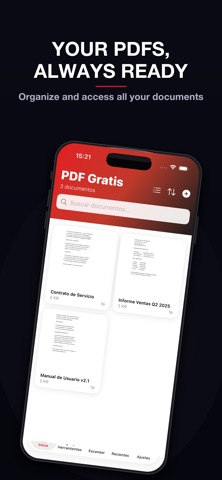
Organize PDFs in folders, mark as favorites and search by name. Sort by name, date or size. Auto-trash after 30 days. Lock with Face ID and Touch ID.
-> DESIGNED FOR YOU
Full dark mode, iPhone and iPad support, import from Files, gallery and other apps. Share results to any app.
· Download PDF Editor now and manage all your documents from your pocket — no subscription, no limits, no servers.