Printer App: AI Scanner & PDF

Printer App: AI Scanner & PDF Summary
Printer App: AI Scanner & PDF is a free, with in-app purchases iOS app in Business by AMOBEAR GROUP. Released in Jun 2026 (3 months ago). It has 33 ratings with a 4.29★ (good) average. Based on AppGoblin estimates, it reaches roughly 434 monthly active users and generates around $<10K monthly revenue (100% IAP / 0% ads). Store last updated Sep 30, 2026
Recent activity: 3.00 new ratings this week View trends →
SDK intelligence: AppGoblin detected 8 ad networks(e.g. Google), 3 development tools, 1 analytics: product,and 1 analytics: attribution integrated into Printer App: AI Scanner & PDF. View full SDK list →
Printer App: AI Scanner & PDF SDKs Summary
Printer App: AI Scanner & PDF was last scanned for SDKs on 2026-08-30. Below is the overview of third-party companies detected in the app. The full list of SDKs, permissions and unknowns is available here.
 Google
 Facebook
 AppLovin
 Unity
Unity Airbnb Engineering
 nanopb
 Firebase
 Adjust
4.29★
Ratings: 33
Screenshots

App Description
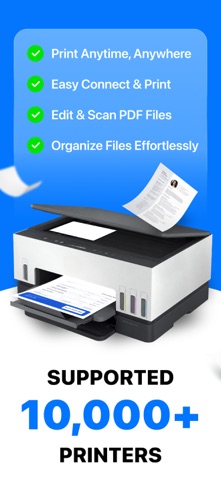
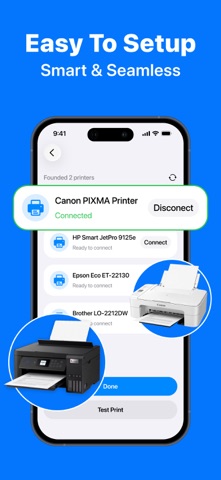
Need a hard copy fast but tired of complicated printer setups? Smart Printer: PDF & Scanner brings printing, scanning, and document management together in one simple, all-in-one mobile workspace — no computer or complex setup required.
WIRELESS PRINTING
Connect to your local network and print from almost anywhere.
• Print PDF, DOCX, XLSX, and PPTX files.
• Print photos directly from your camera roll or photo library.
• Print emails, contacts, and webpages with one tap.
• Sign documents and make quick edits before printing.
• Review and reprint recent jobs from your print history.
SMART SCANNER
Turn paper into clean, polished digital files in seconds.
• Auto-crop and OCR scan documents, receipts, and multi-page books.
• Dedicated scan modes for ID cards and passports.
• Instant QR code scanning.
• On-device text recognition (OCR) turns scans into searchable, editable text.
PDF & FILE TOOLS
Edit and organize your files without leaving the app.
• Merge multiple PDFs into one, or split a PDF into separate files.
• Compress PDFs for easier sharing and smaller email attachments.
• Rotate pages and lock or unlock PDFs with a password.
• Crop and compress photos, remove image backgrounds, and extract text with OCR.
• Convert PDFs from multiple file types, including DOCX, XLSX, PPTX, JPG, PNG, and more.
FILE MANAGER
Keep everything organized in one place.
• Manage local files and your photo library with a clean, simple layout.
• Sync automatically with iCloud.
• Print directly from cloud files without downloading first.
YOUR PRIVACY COMES FIRST
All scanning, OCR, and photo editing happen directly on your iPhone — not on a remote server. Your contracts, IDs, and personal documents stay private and never leave your device during processing.
Download Smart Printer: PDF & Scanner today and turn your iPhone into your complete mobile printing and document toolkit.
Privacy Policy: https://sites.google.com/view/smartclean-ai-storage-cleaner/home
EULA: https://www.apple.com/legal/internet-services/itunes/dev/stdeula/